This guide introduces Frame ACF blocks, also known as Frame Advanced Custom Fields blocks. Let's look at the steps:
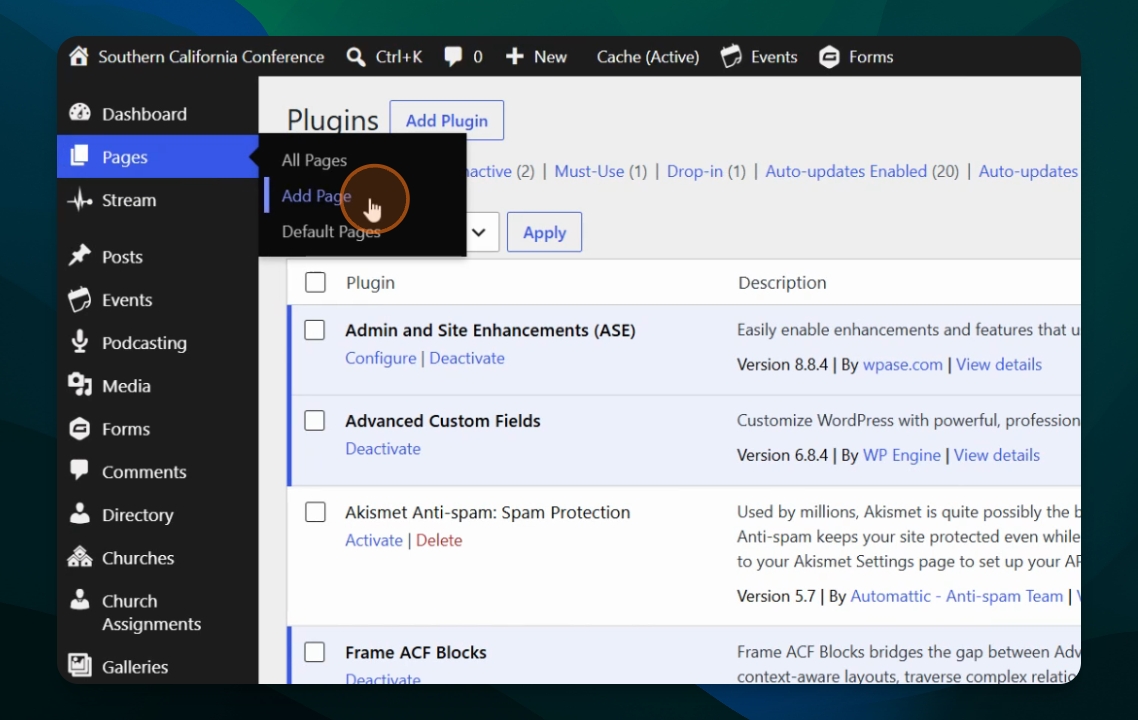
Step 1: Create a New Page
To start using Frame ACF blocks, create a new page in your WordPress site. This allows you to add and experiment with the plugin's features.
Frame ACF blocks bridge the gap between Advanced Custom Fields and WordPress layouts. They enable you to create context-aware layouts, traverse complex relationships between posts, and instantly render custom data from those posts.
With Frame ACF blocks, you can transform any custom field into a fully responsive link or button. You can also style these elements with rounded corners, customize layouts, and include them inside core button containers.
Let's get started by adding a new page. In our following guides, we will explore the ACF Single Field, ACF Relationship Loop, and ACF Traversal Field blocks.