

This guide covers how to use the ACF relationship loop block to display related posts on a page. Let's look at the steps:
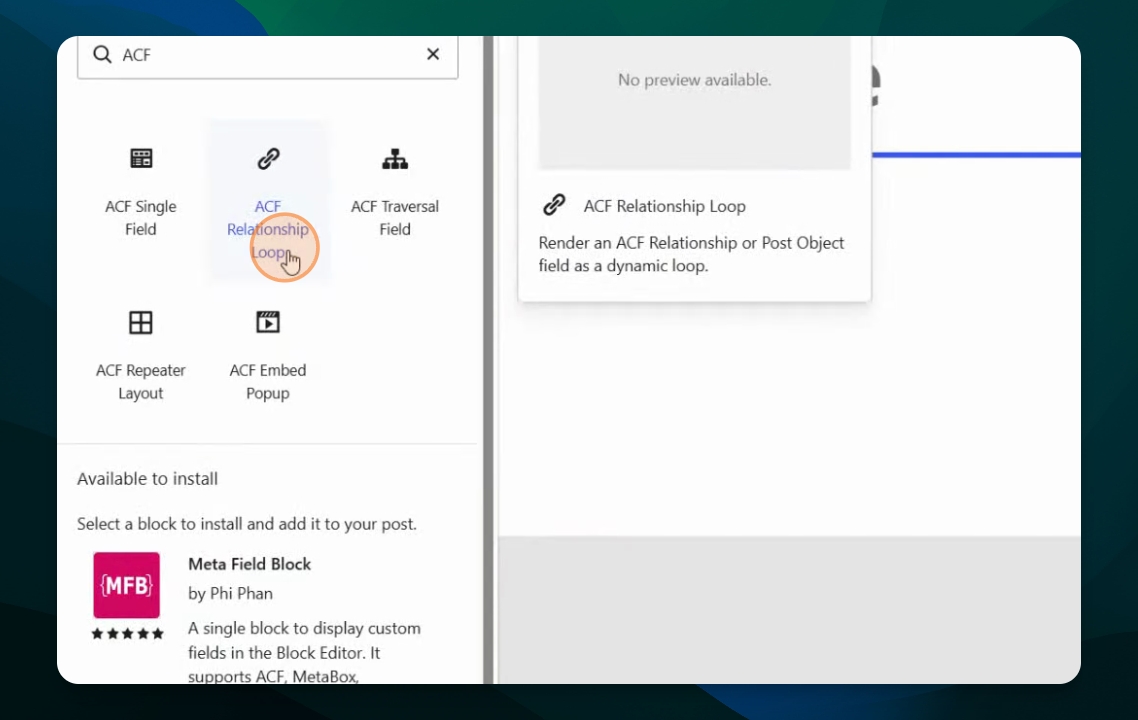
Step 1: Insert Relationship Loop Block
Insert the ACF relationship loop block into a new page.
Step 2: Open Block Settings
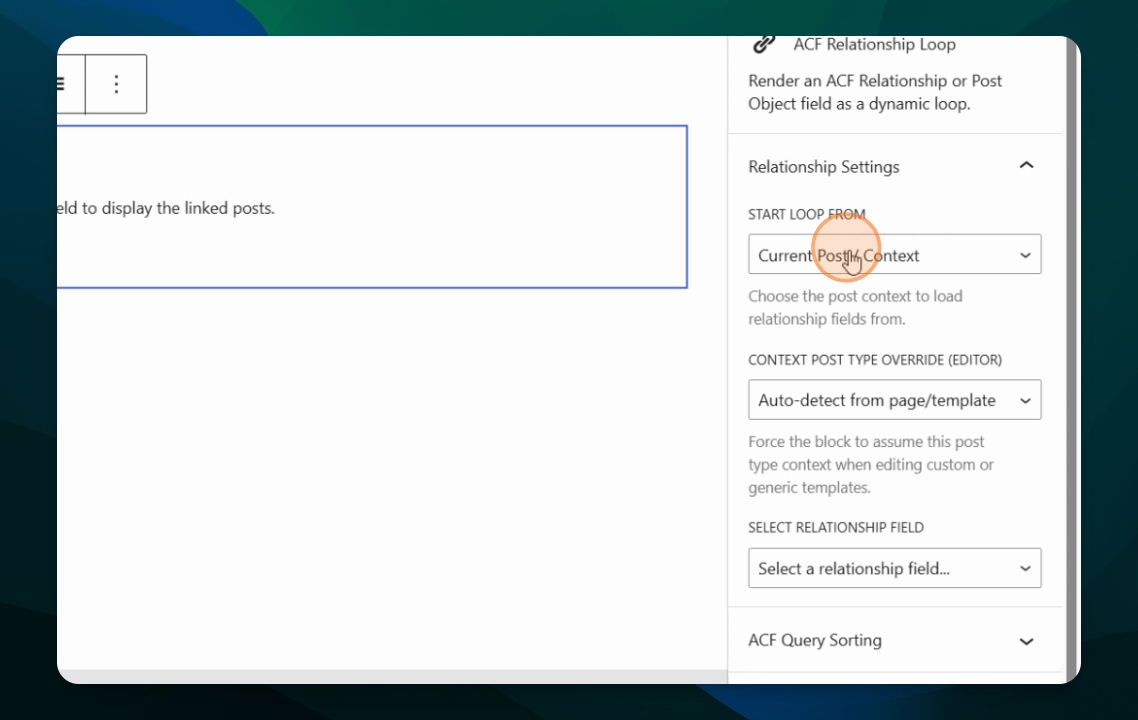
Open the block and click it to access the block settings.
Step 3: Choose Loop Start Point
In the block settings, decide where the loop should start. You can start from the current post, the parent post, or override the content post type to use a different one.
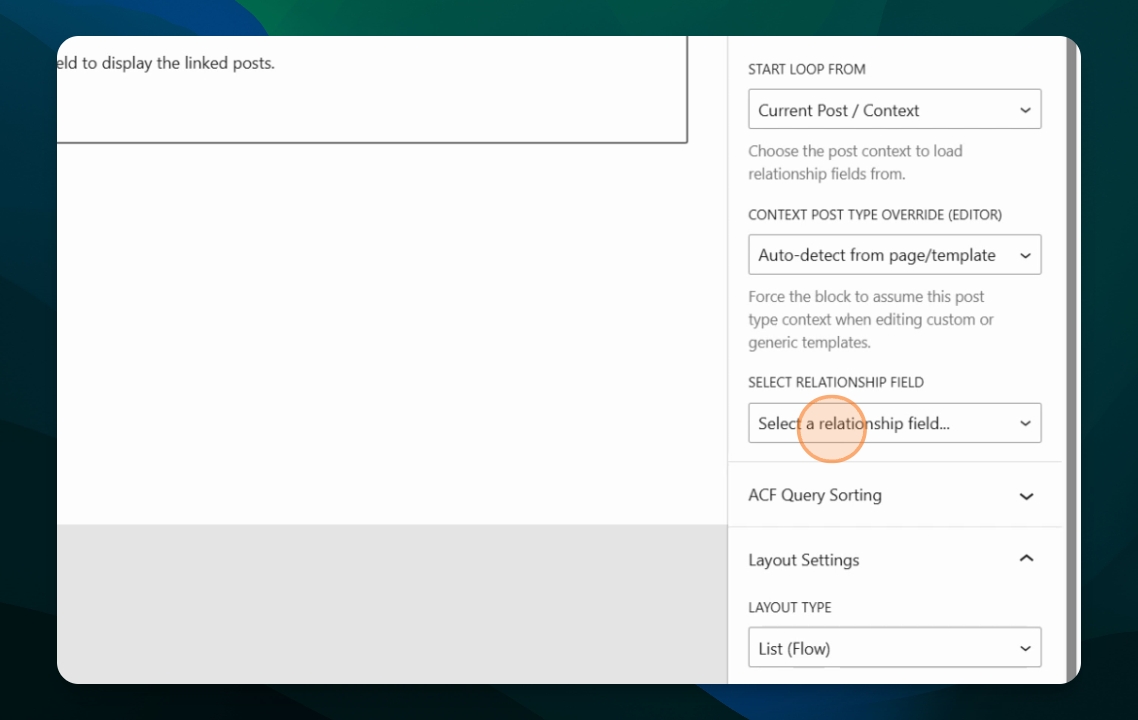
Step 4: Select Relationship Field
Choose which relationship field to use for the iteration.
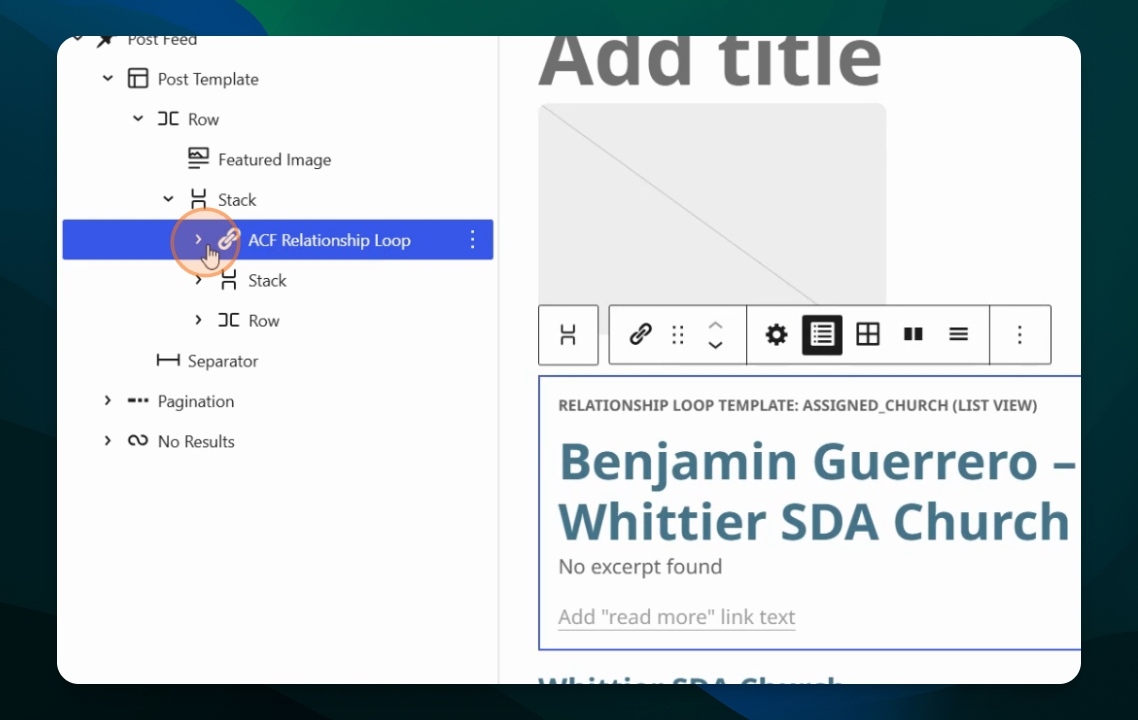
Example: Use the ACF Relationship Loop to Iterate the Reverse Relationship Between Churches and Church Relationships
In this example, we used a Post Feed block to iterate over the Church post type. In the Post Template, we add the ACF Relationship Loop and select the reverse church assignments relationship. It will let us show and iterate over the Church Assignments linked to the specific Church that is being iterated over.
View Example Output
For example, you may see Benjamin Guerrero - Whittier SDA Church as a related item. It is an example of a Church Assignment post of the Whittier SDA Church. If there are no posts or the field is empty, it will not display data for that item.
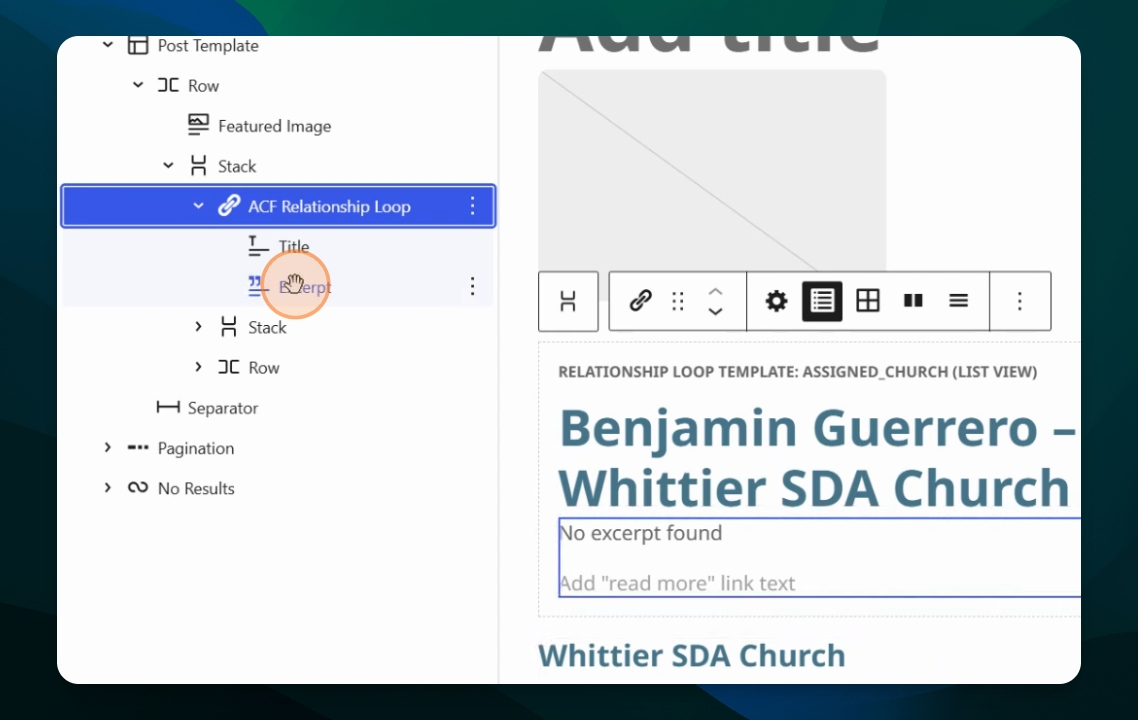
Using the ACF Single Field Block
Add another block, such as ACF single field, to display custom fields of the post type being iterated.
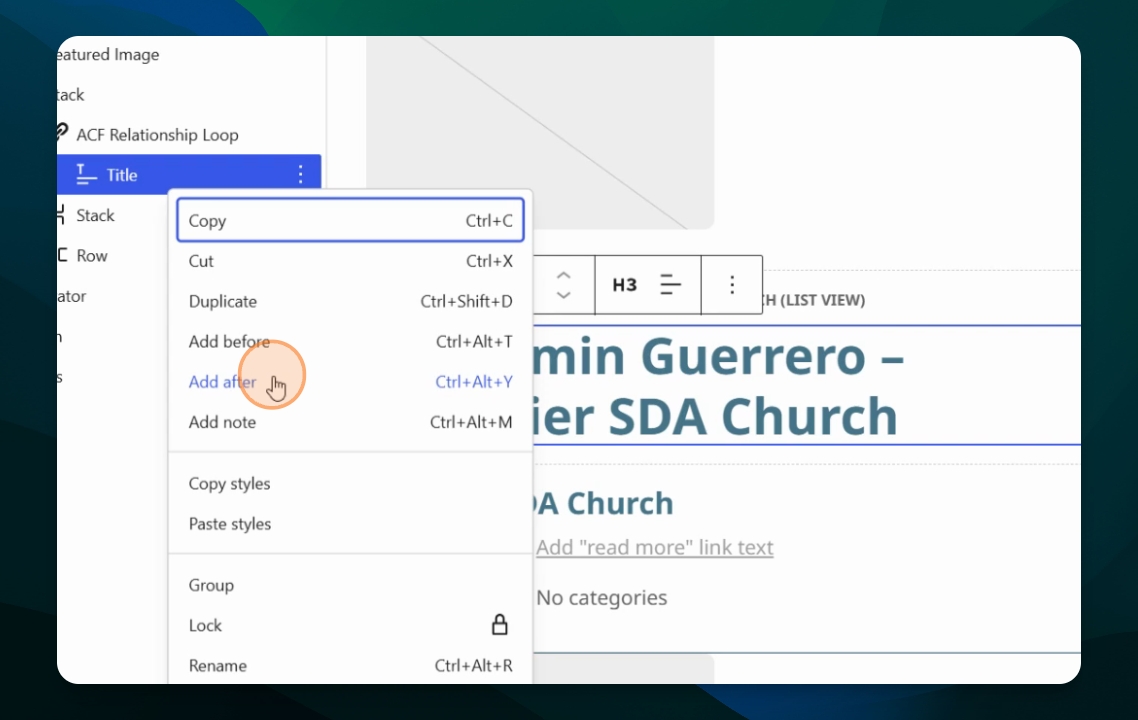
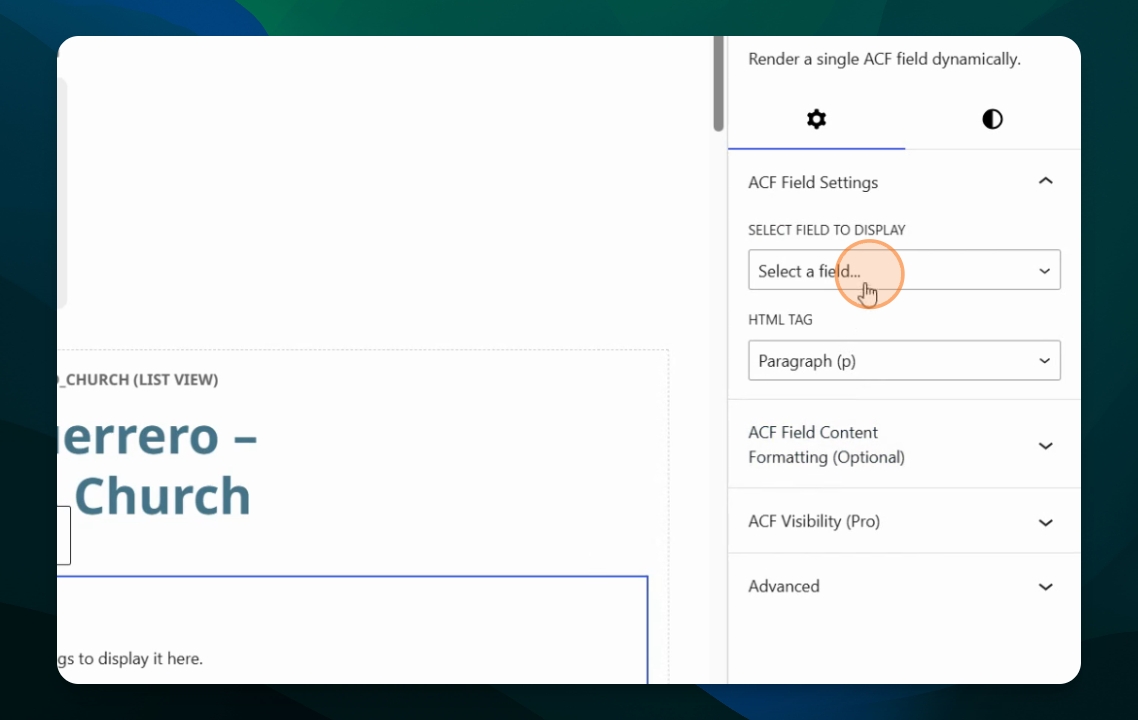
Choose Custom Field to Display
Select which custom field to display for the iterated post type. In this example, select the taxonomy field for church position.
Thus, we are showing the Church name and above it the Church Assignments. Benjamin with the title of Pastor.
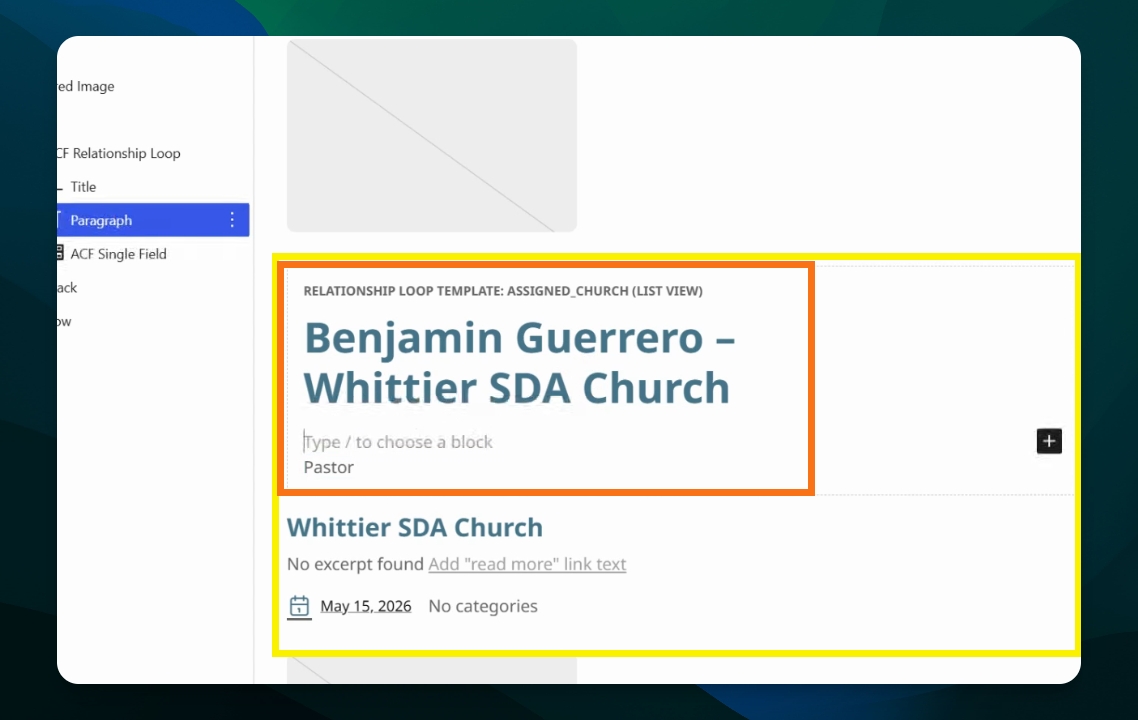
In summary, the ACF relationship loop block lets you iterate over ACF relationships between Post types defined through Field Groups.
In the next guide, you will learn how to use the ACF traversal field block.