

This guide explains how to use the ACF traversal field block to display related fields from a relationship in your post templates. Let's look at the steps:
Step 1: Configure Post Feed
Set up the post feed to iterate over church assignations as your data source.
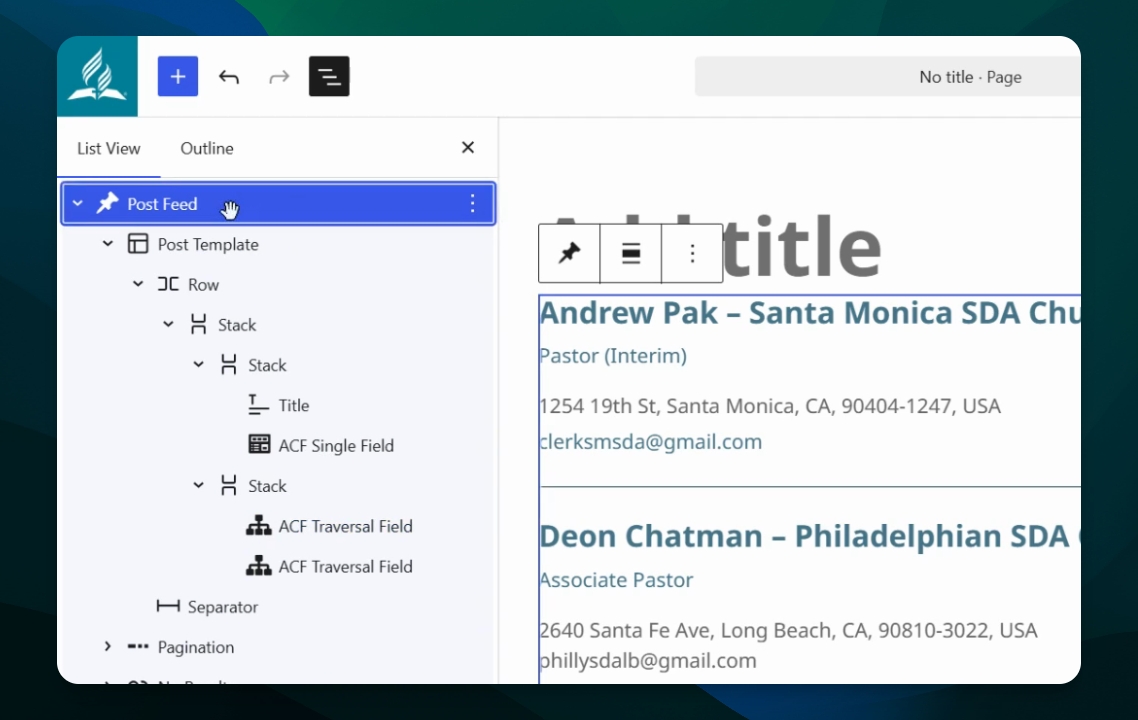
Step 2: Set Title in Post Template
Inside the post template, set the title to display the church assignation title. By default, this will show the pastor name and church name as the title.
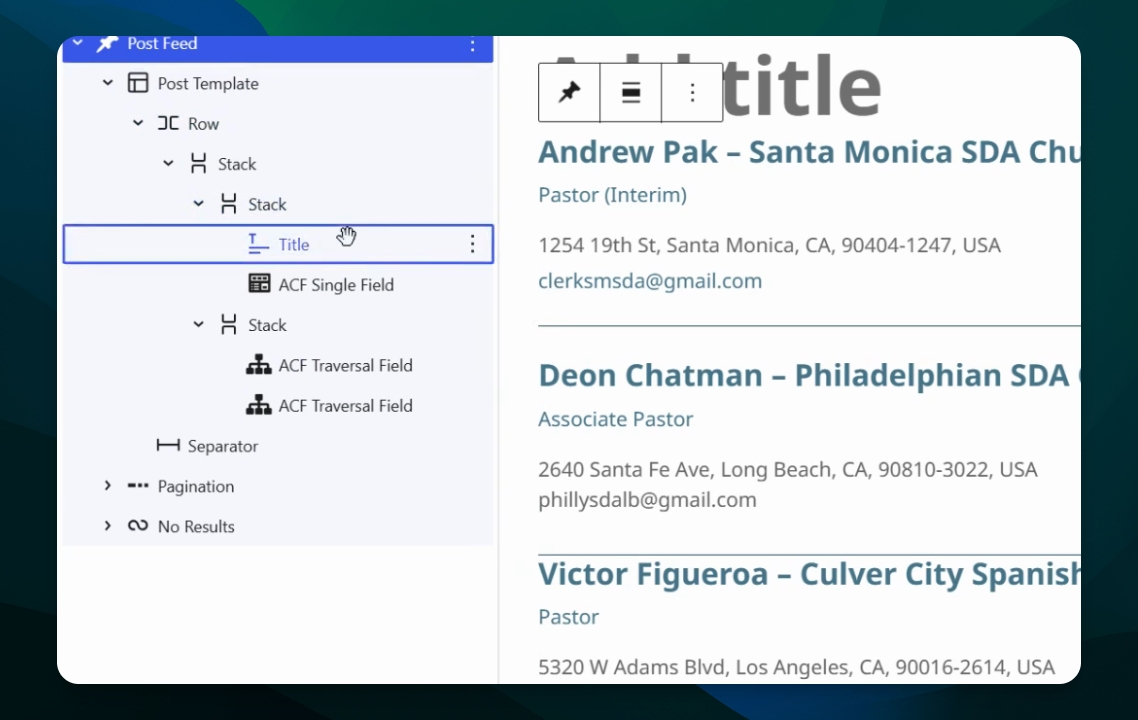
Step 3: Display Taxonomy with ACF Single Field
Use the ACF single field to iterate and display the church position taxonomy for each item.
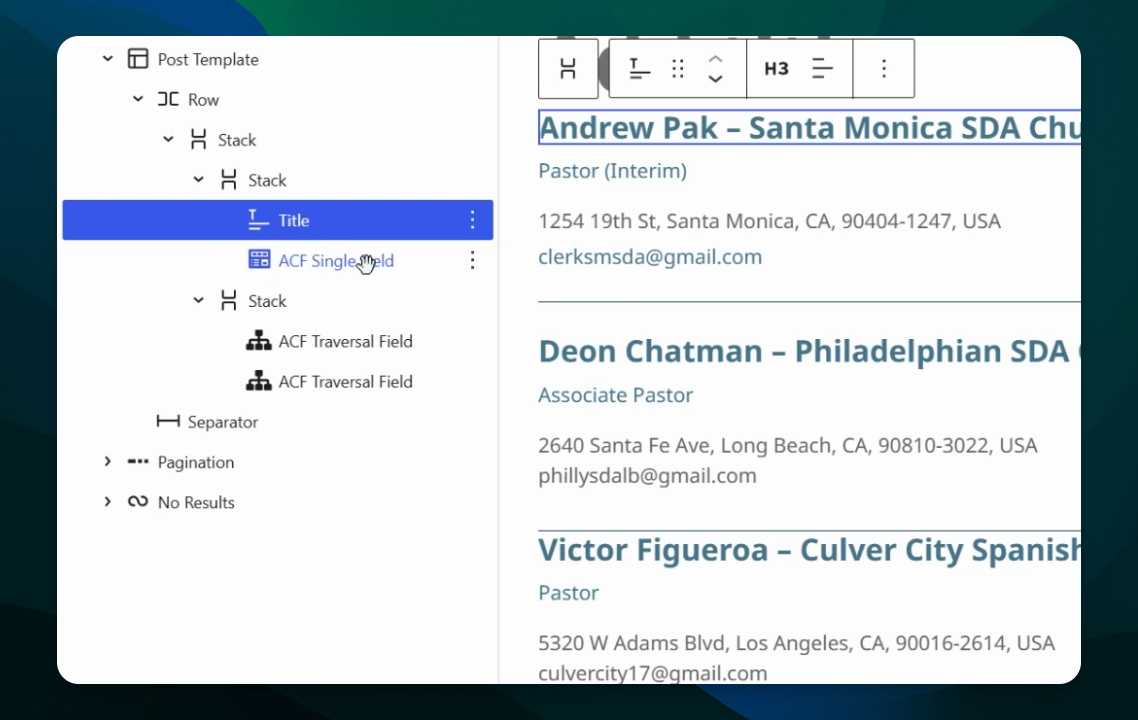
Step 4: Access ACF Traversal Field
Use the ACF traversal field to go through a relationship field and select a specific field from that relationship to display.
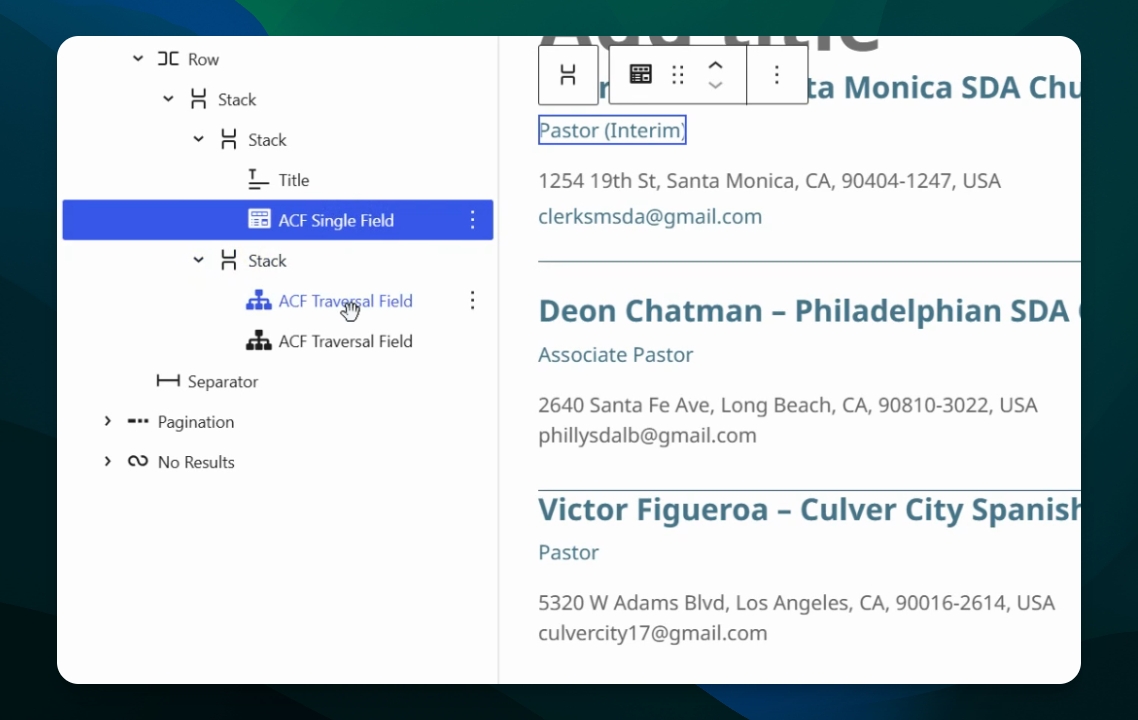
Step 5: Select Starting Dimension
Select the starting dimension, such as church assignation or current post, as the context for traversal.
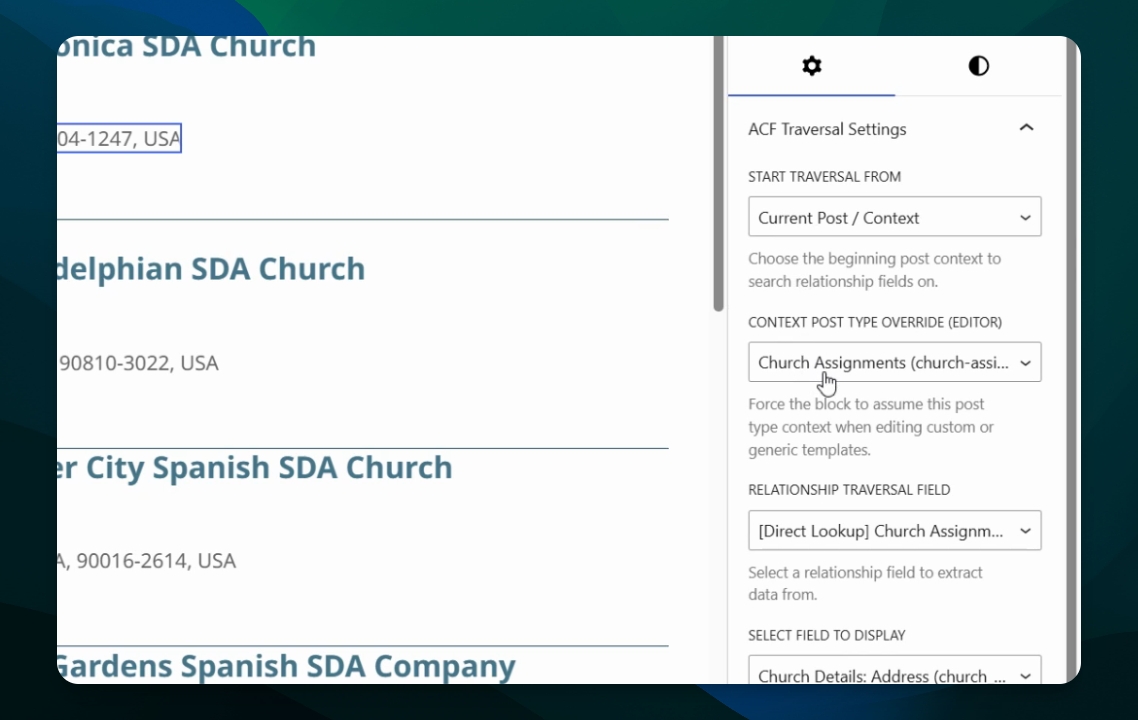
Step 6: Choose Relationship to Traverse
In the relationship traversal field, choose the relationship to iterate over. For example, select either directory item (pastor) or church. In this example, select church for a direct lookup.
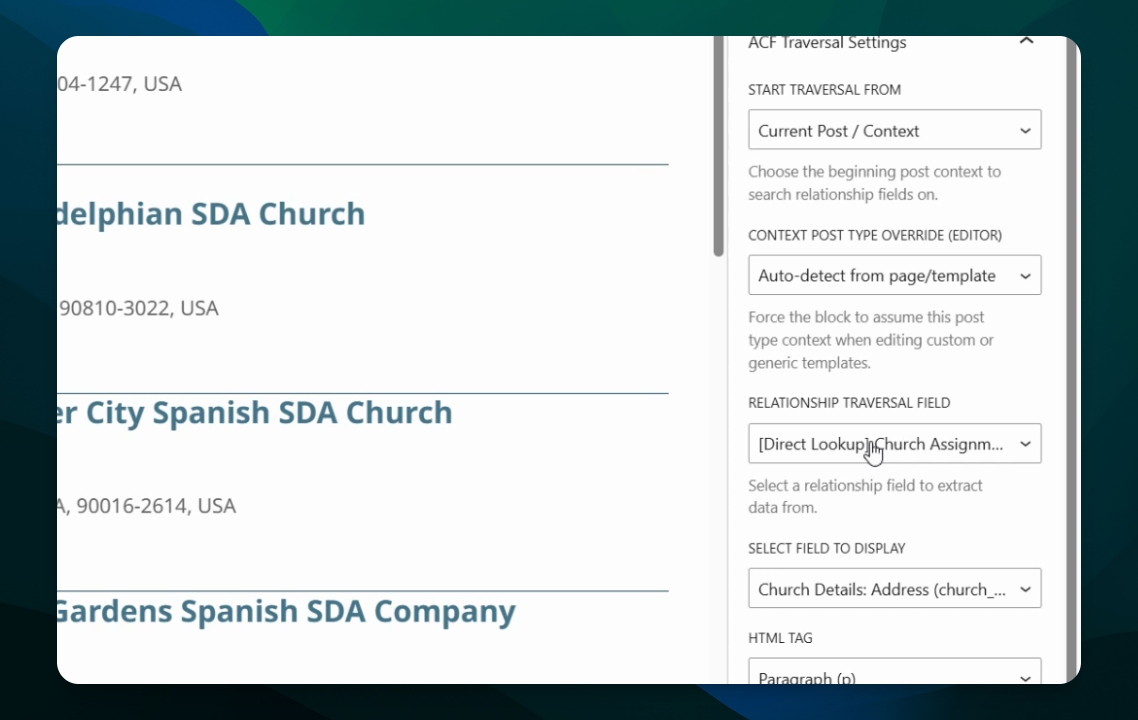
Step 7: Select Field from Related Post
From the related church post, choose the specific field you want to display, such as the church address or other details.
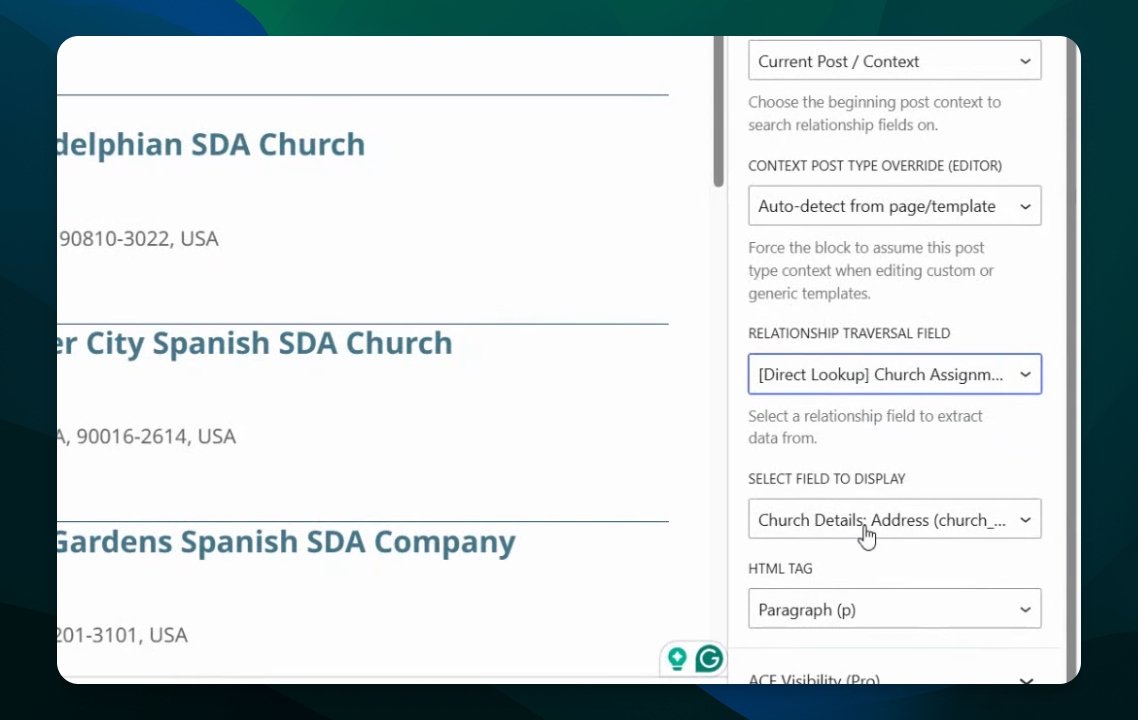
Step 8: Example for Email Field
To display the church email, select the starting dimension (e.g., church assignation or current post), choose the relationship traversal field targeting church, and then select the church email field to display.
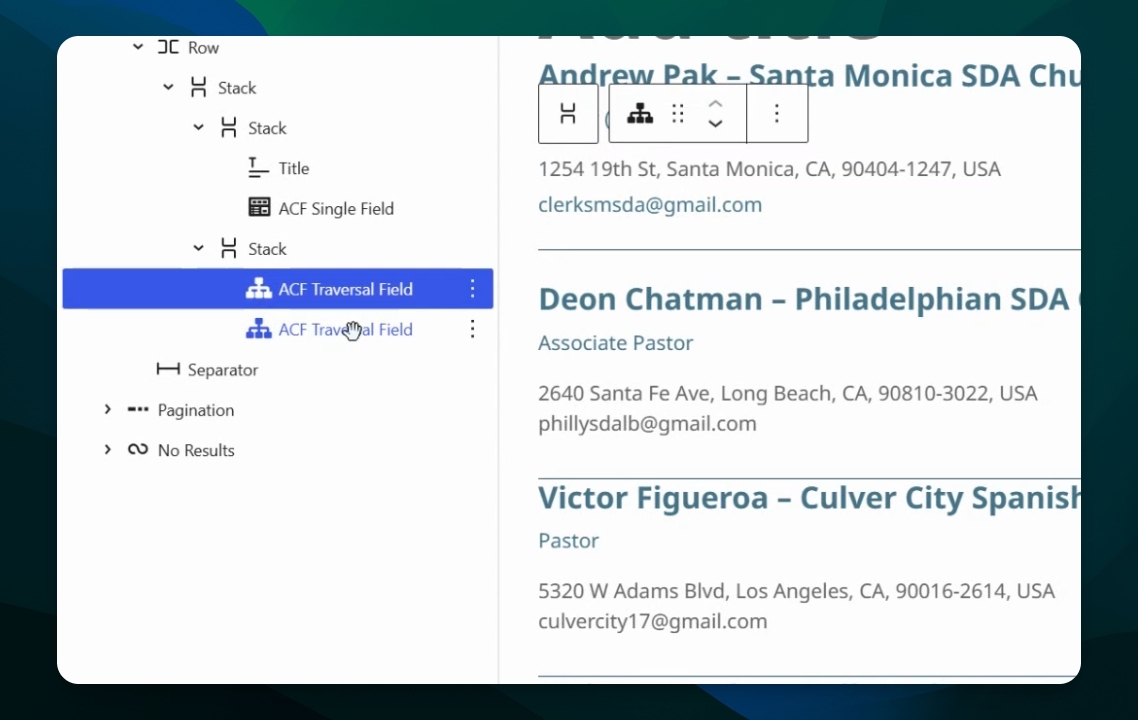
This approach allows you to traverse relationships linked to a dimension and render specific fields from those related posts in your templates.