

When someone fills out a form on your website — whether they're registering for an event, requesting prayer, or signing up to volunteer — that information matters. Being able to view and manage those responses is an important part of staying connected with the people your ministry serves.
In this article, we'll show you how to view and manage the data from your site visitors.
Step 1: Access Form Entries
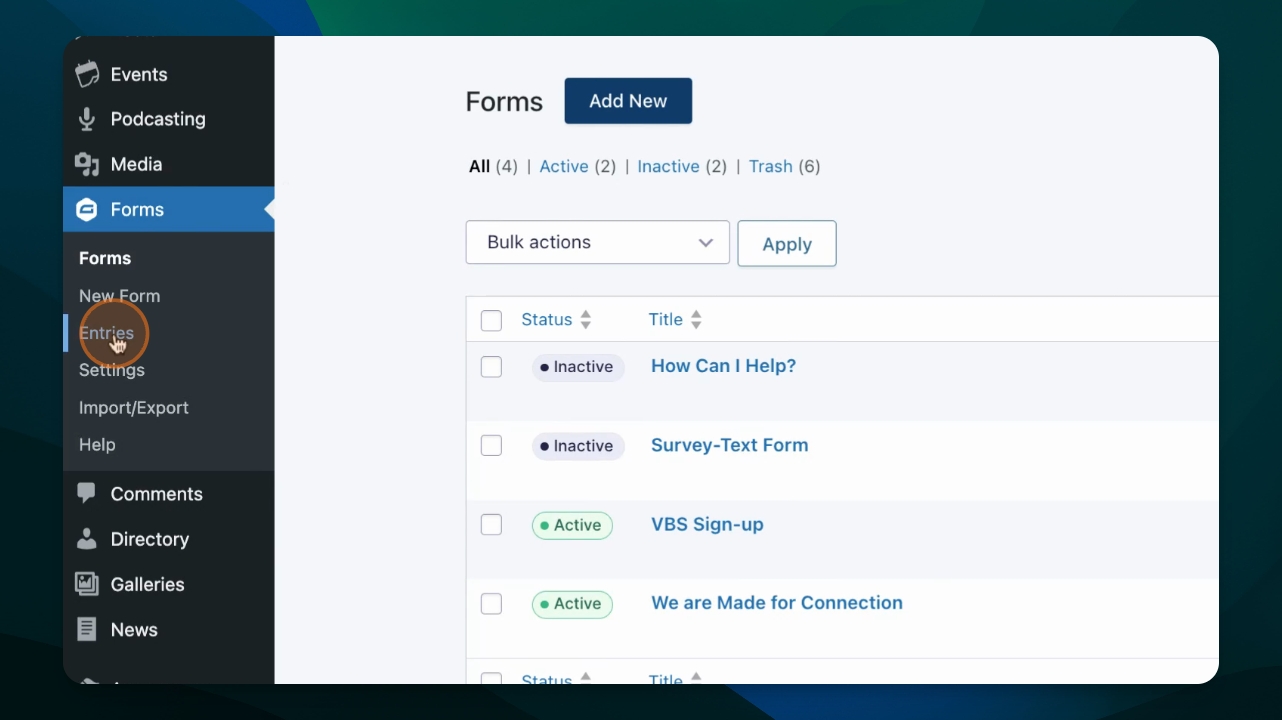
Go to Forms and click Entries.
Step 2: Select a Form
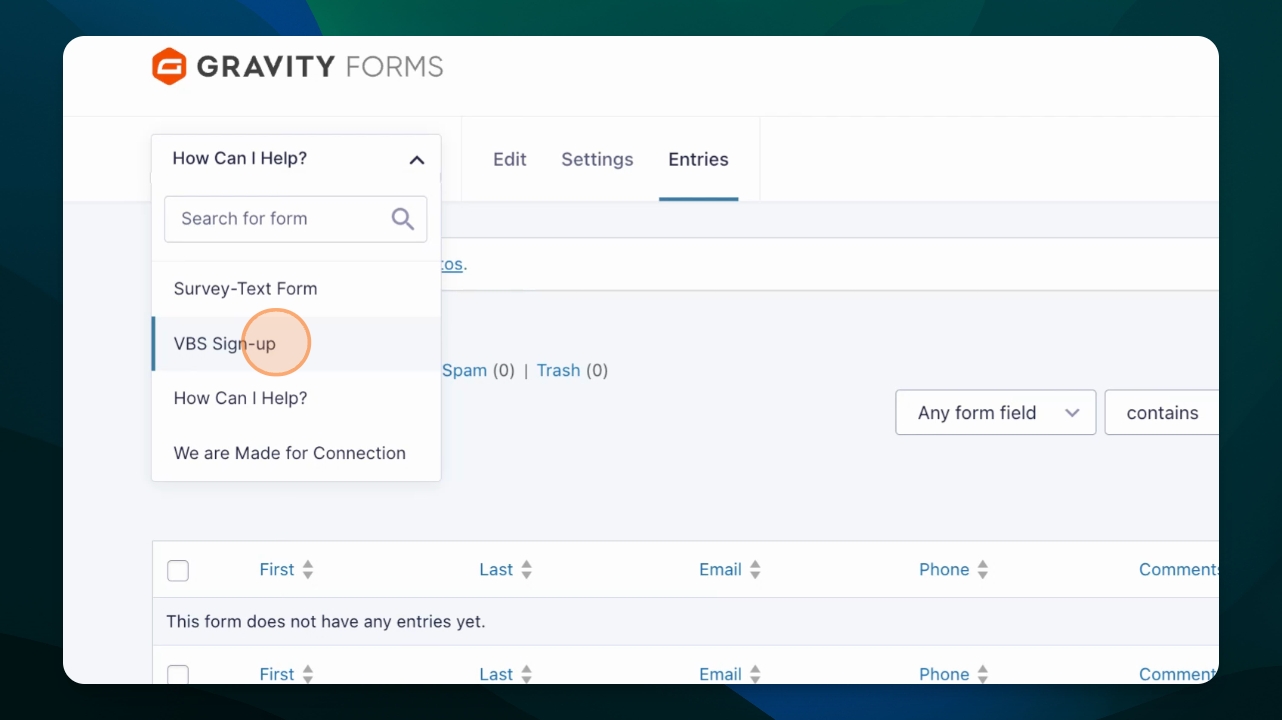
Choose the form you want to view.
Step 3: Filter Entries
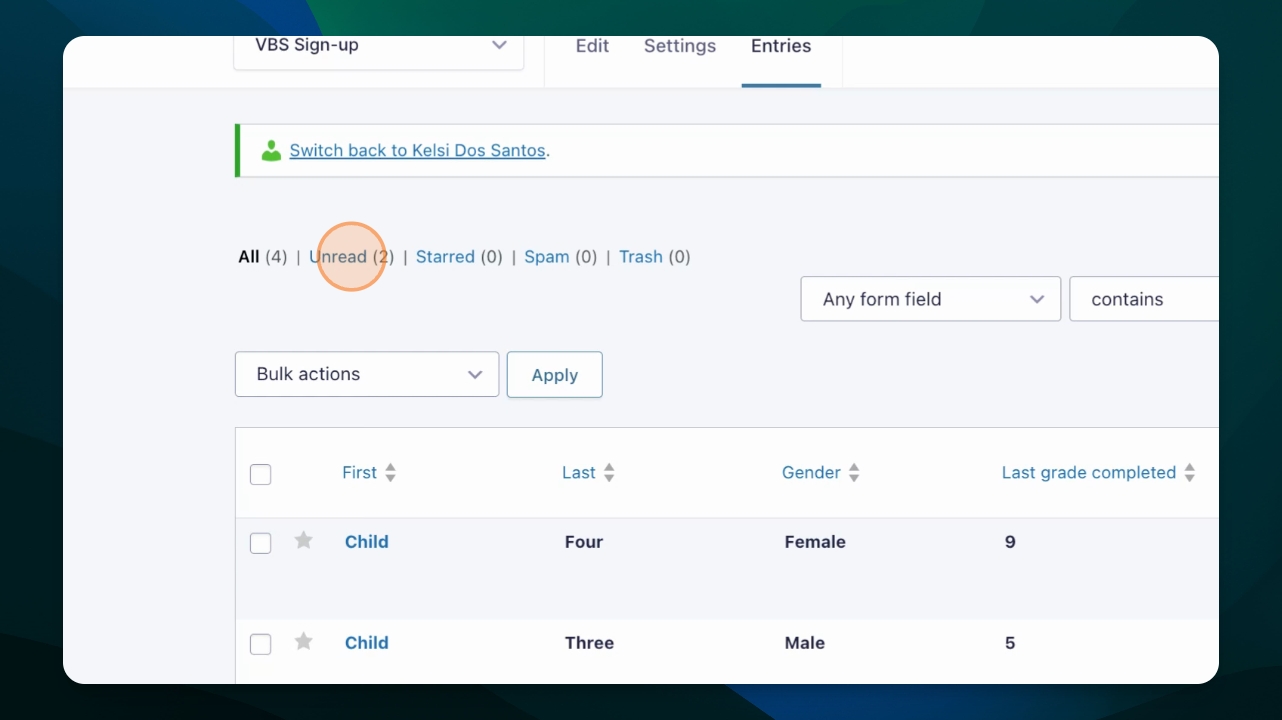
To improve your workflow, use the filter bar to view only the submissions you have not reviewed yet, starred submissions, or spam.
Step 4: Search for Specific Entries
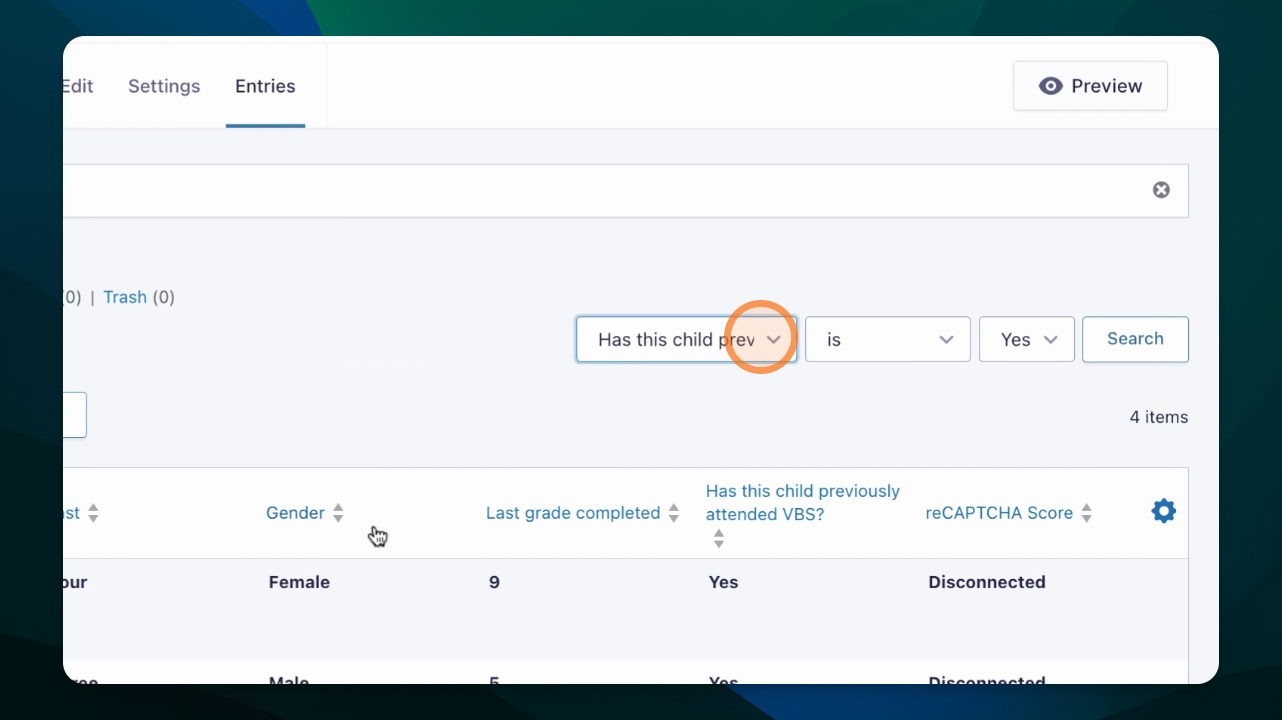
Utilize the search function to find entries with specific responses, and click Search.
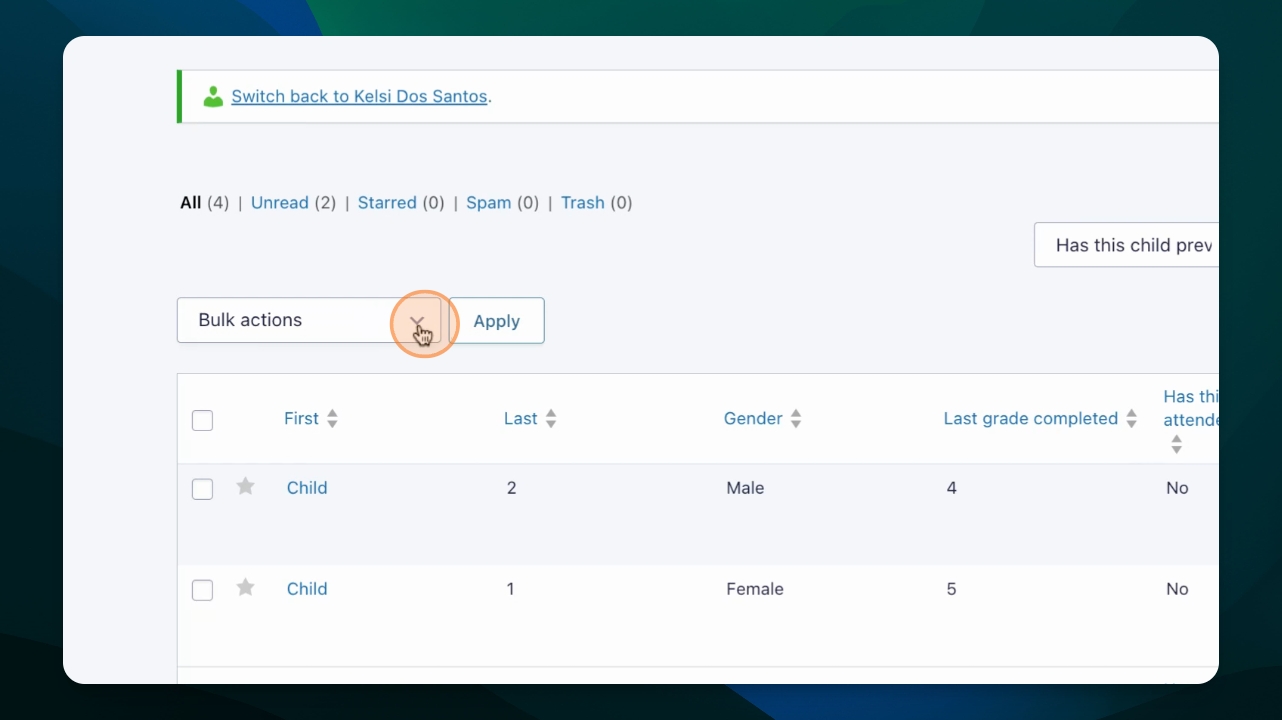
Step 5: Use Bulk Actions
To take actions on the entries, use the Bulk Actions tool to resend notifications or print them. Select one or multiple entries by using the check box next to each entry.
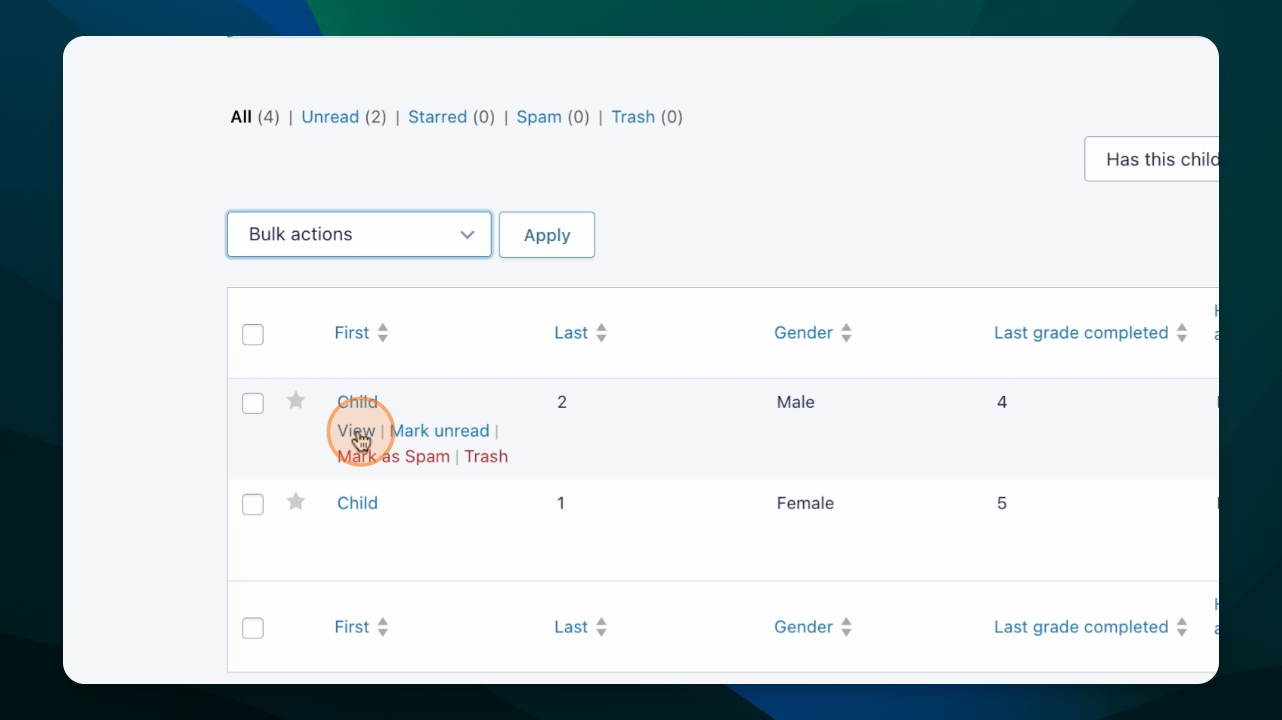
Step 6: View Entry Details
Hover over an entry name and click View to see all submitted information.
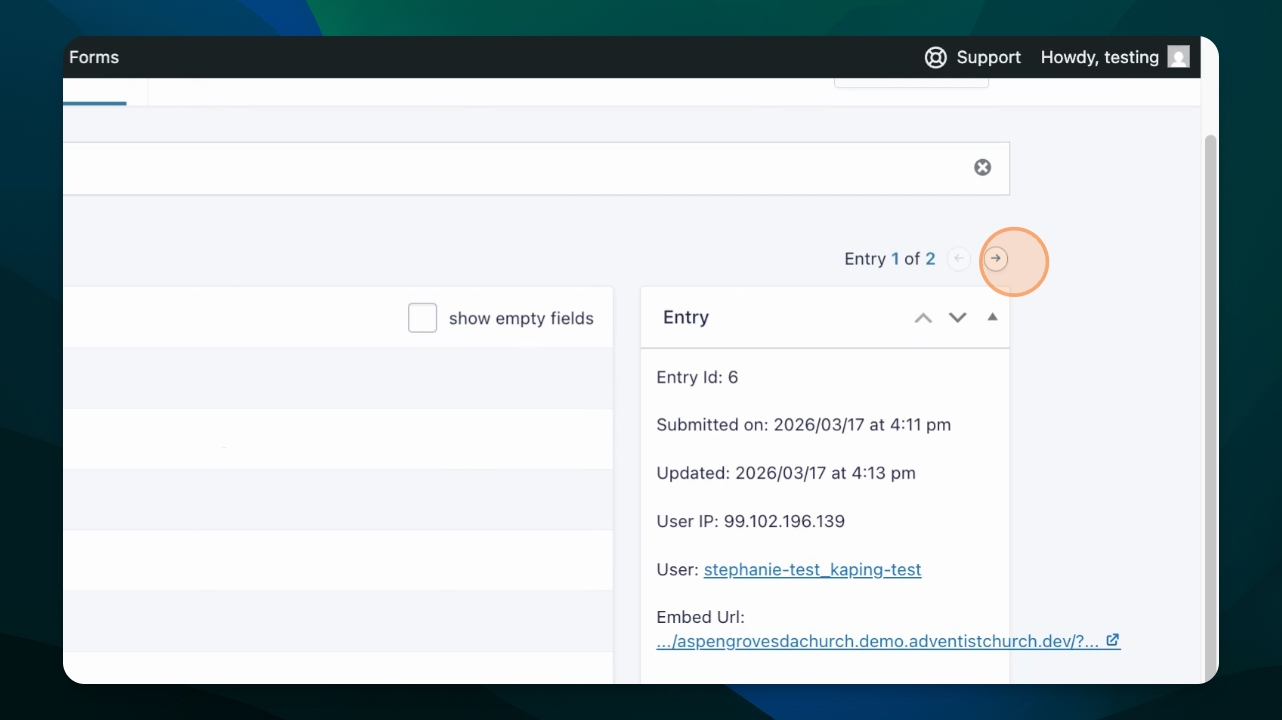
Step 7: Navigate Entries
When viewing an entry's details, click the arrow to navigate to the next entry without going back to the list view.
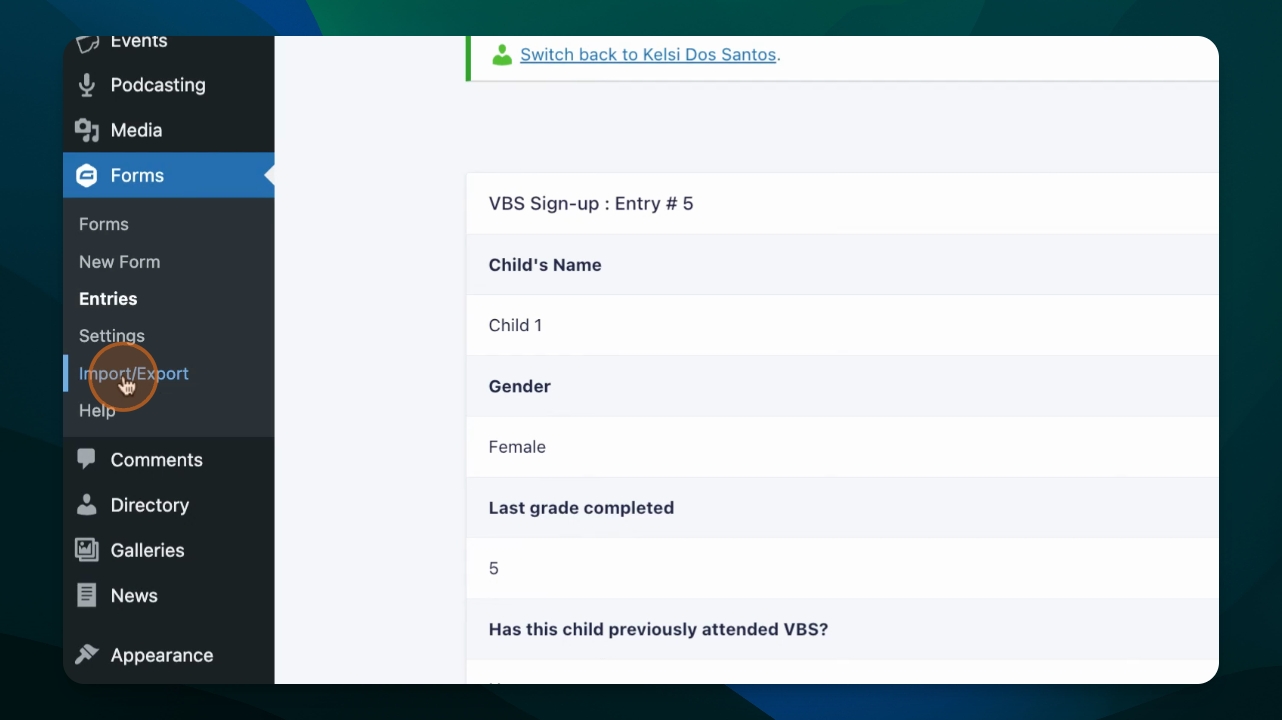
Step 8: Export Data
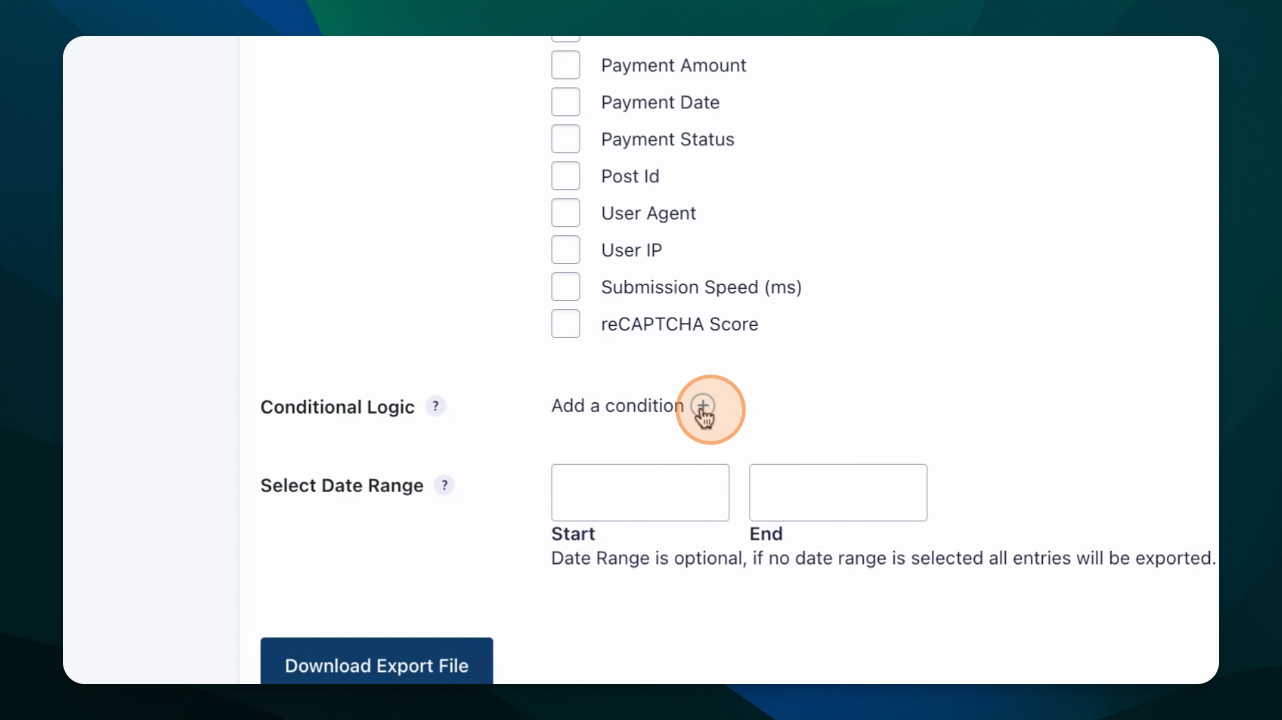
Go to the Import Export tool to export entries. Choose the form and select which fields to export.
Step 9: Set Conditions for Export
If necessary, add a condition to only include entries that meet certain criteria. Leave the date range blank to export all entries.
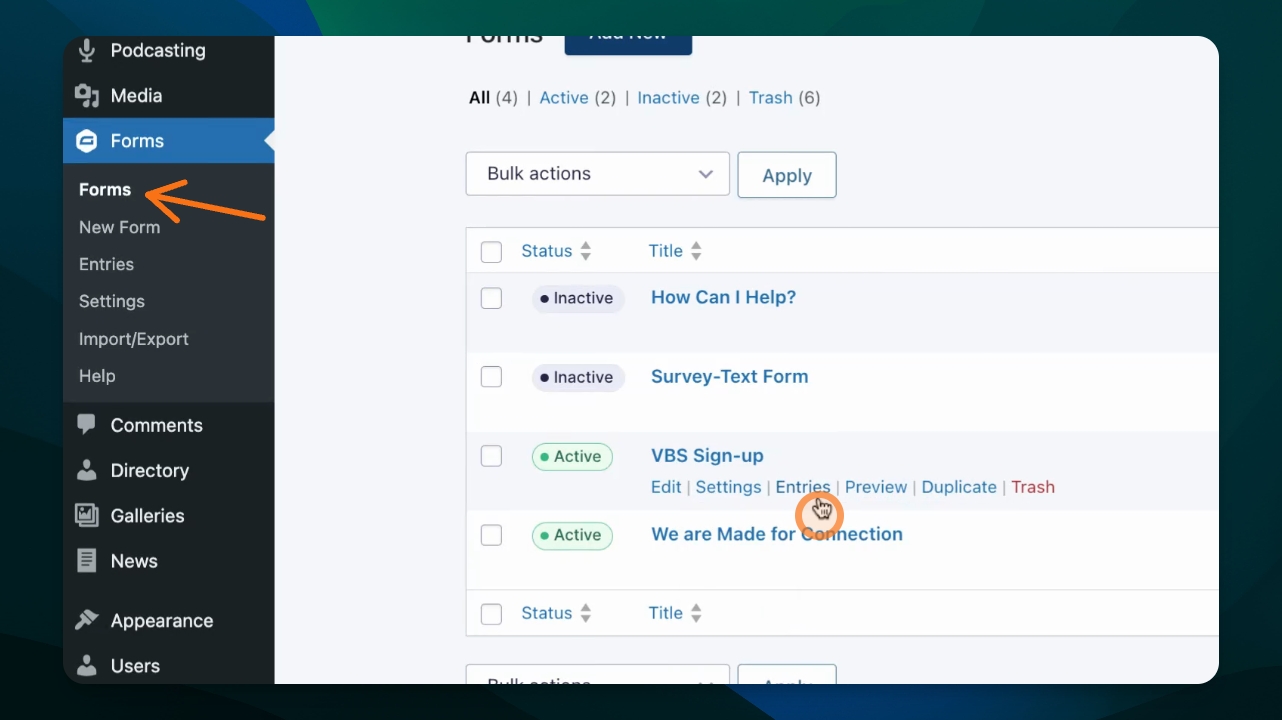
View Entries from Form List
Alternatively, find entries directly from the form to view all submissions. This is another way to view the entries from a given form, where you'll notice all total submissions.
Data Best Practices
Be sure to review entries often. Set notifications to know when visitors submit an entry and follow up right away.
Don't collect very sensitive information in forms, such as credit card numbers or passwords. If needed, use payment tools like Stripe to handle payments securely.
Limit access to forms among your editors so only those who need it have access to view and manage form entries.
Consider requiring login for users to access some forms if they require submitting sensitive information like addresses or contact information.
Handle sensitive information carefully once exported or printed.