

What Are Sticky Posts?
A sticky post in Frame is a feature that lets you “pin” a specific post to the top of your blog’s front page (or another posts list) so it stays visible even as new posts are published. By default, Frame displays posts in reverse chronological order — the newest post at the top — but sticky posts override this, keeping your chosen post above the rest until you remove its sticky status that entry by turning it off.
How Sticky Posts Work
Default behavior: New posts push older ones down the post feed on the page.
With sticky posts: One or more posts can be marked as sticky and remain at the top of the list.
Scope: Only published posts can be sticky; private posts cannot be set as sticky.
Sticky posts are useful for:
Highlighting important or continuing content — such as ministry articles, SDA beliefs, mission articles.
Sharing time-sensitive announcements — like school registration, evangelistic series, important news about your church or school.
Guiding new visitors — for example, a “Welcome” or “Mission Statement” post.
How to Create a Sticky Post
In the Frame:
Go to Posts → All Posts.
Select the post title you want to make sticky. Click the "Edit" option when hoovering over title.
In the right sidebar, under Status > Published > check the Sticky box for that blog entry.
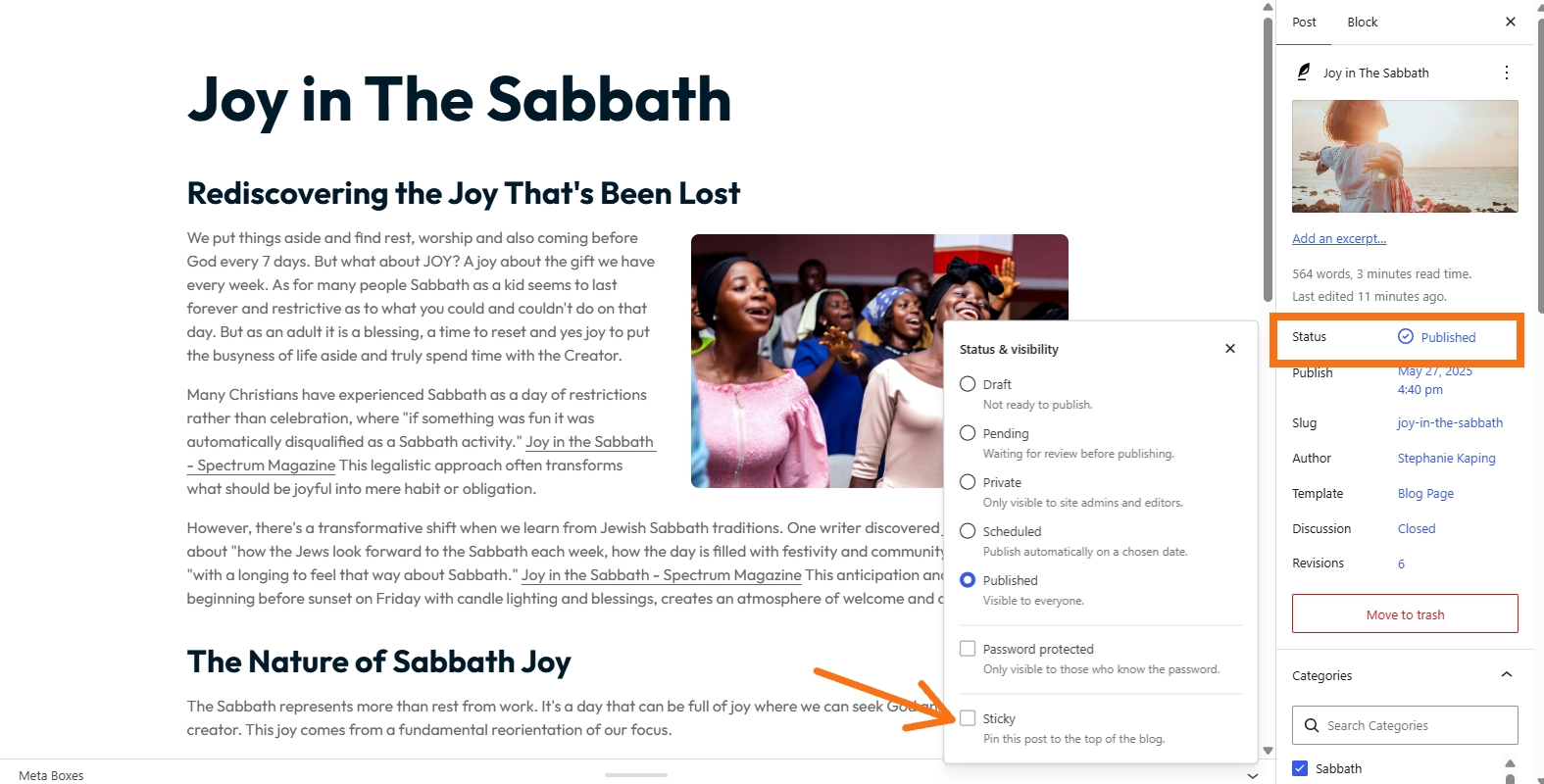
Click the "Save" button to keep the changes or publish the post if new entry.
Best Practices
Use sticky posts sparingly — usually just 1–2 per blog page to avoid clutter.
Remove them once their purpose is finished (e.g., after an event is over).
Keep in mind that not every post is to have this feature turned on.
In short, sticky posts are a simple, built-in Frame tool to keep your most important or timely content front and center, ensuring it’s seen by visitors as soon as they land on your site.