Breadcrumbs are navigation items that enhance user experience on your website. They can also improve search engine optimization and help with enhanced search results.
Breadcrumbs will appear on each page of your website, by default, and link directly to your homepage or welcome page. You can click a breadcrumb to return to your welcome page. Note that breadcrumbs are not visible on the welcome page itself.
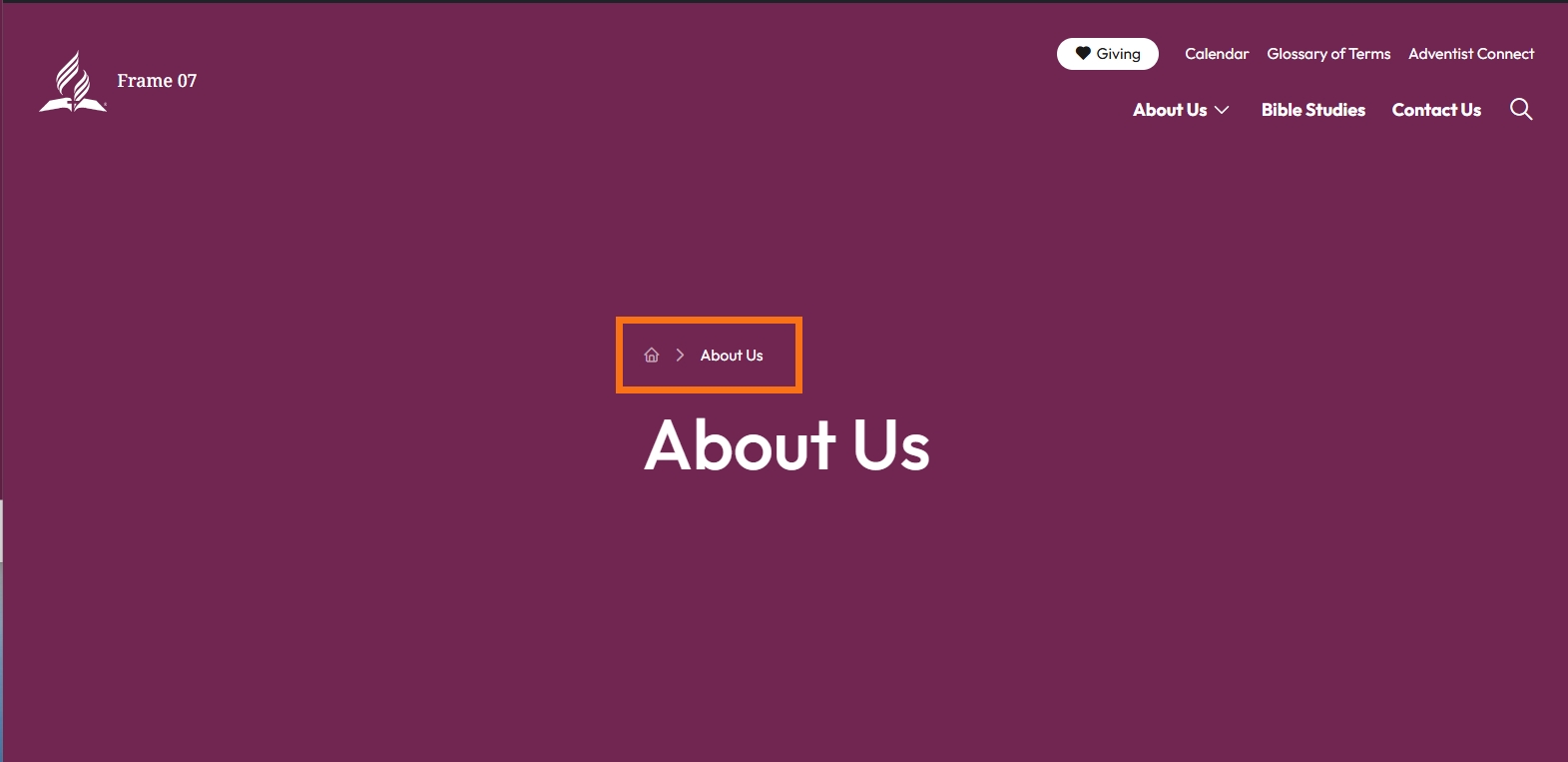
Let's look at the steps:
Step 1: Access Block Defaults
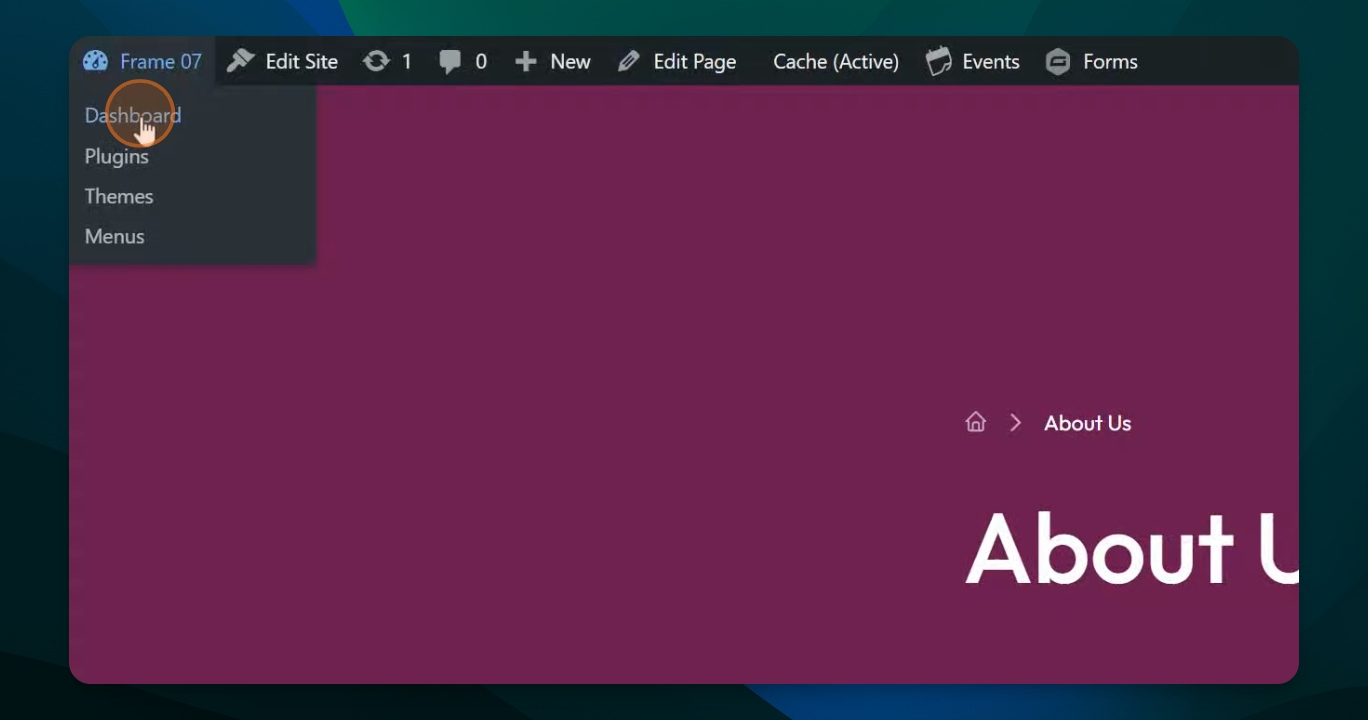
Go to your dashboard, scroll down to Settings, and then select Block Defaults.
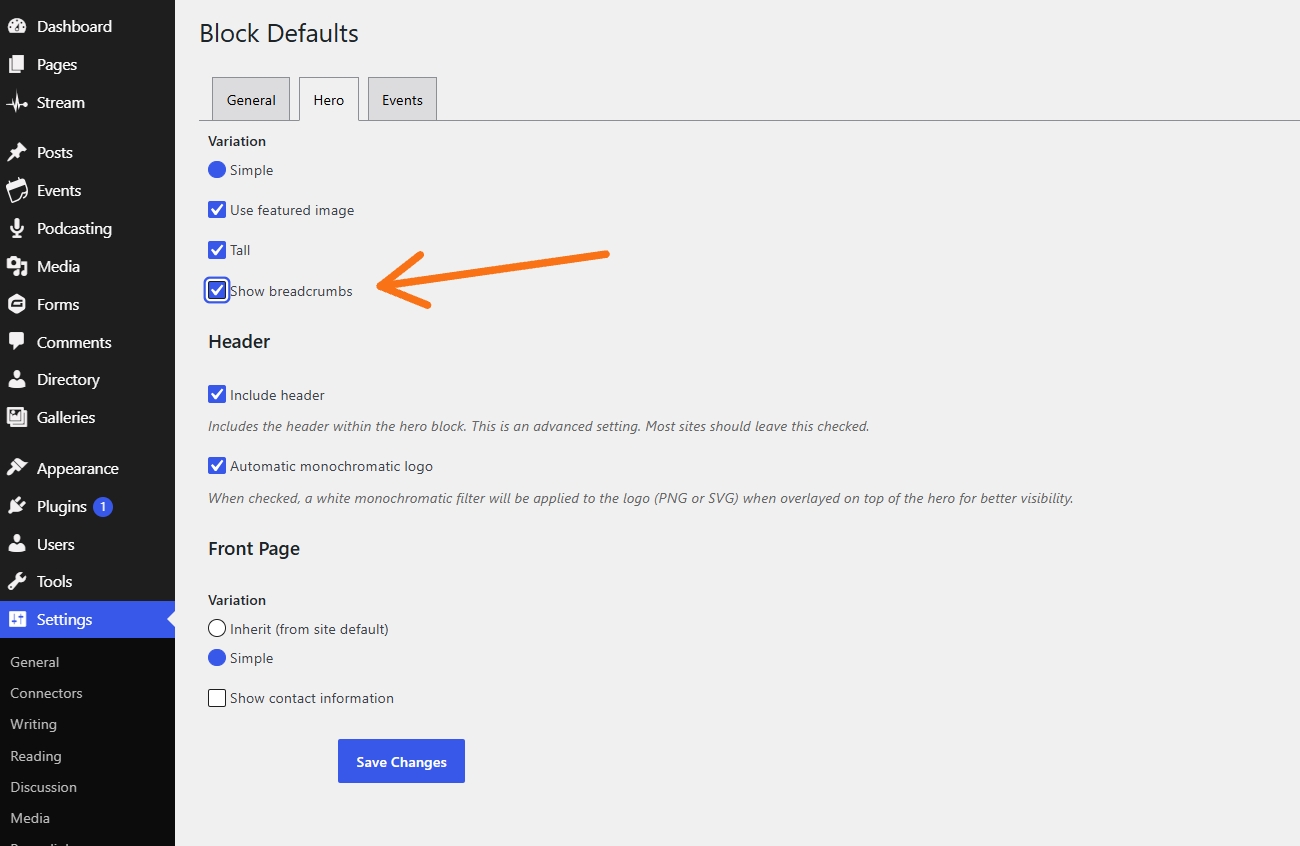
Step 2: Toggle Breadcrumbs in Hero Section
In the Hero section, find the box labeled show breadcrumbs. Click it off if you do not want breadcrumbs, then make sure to save your changes.
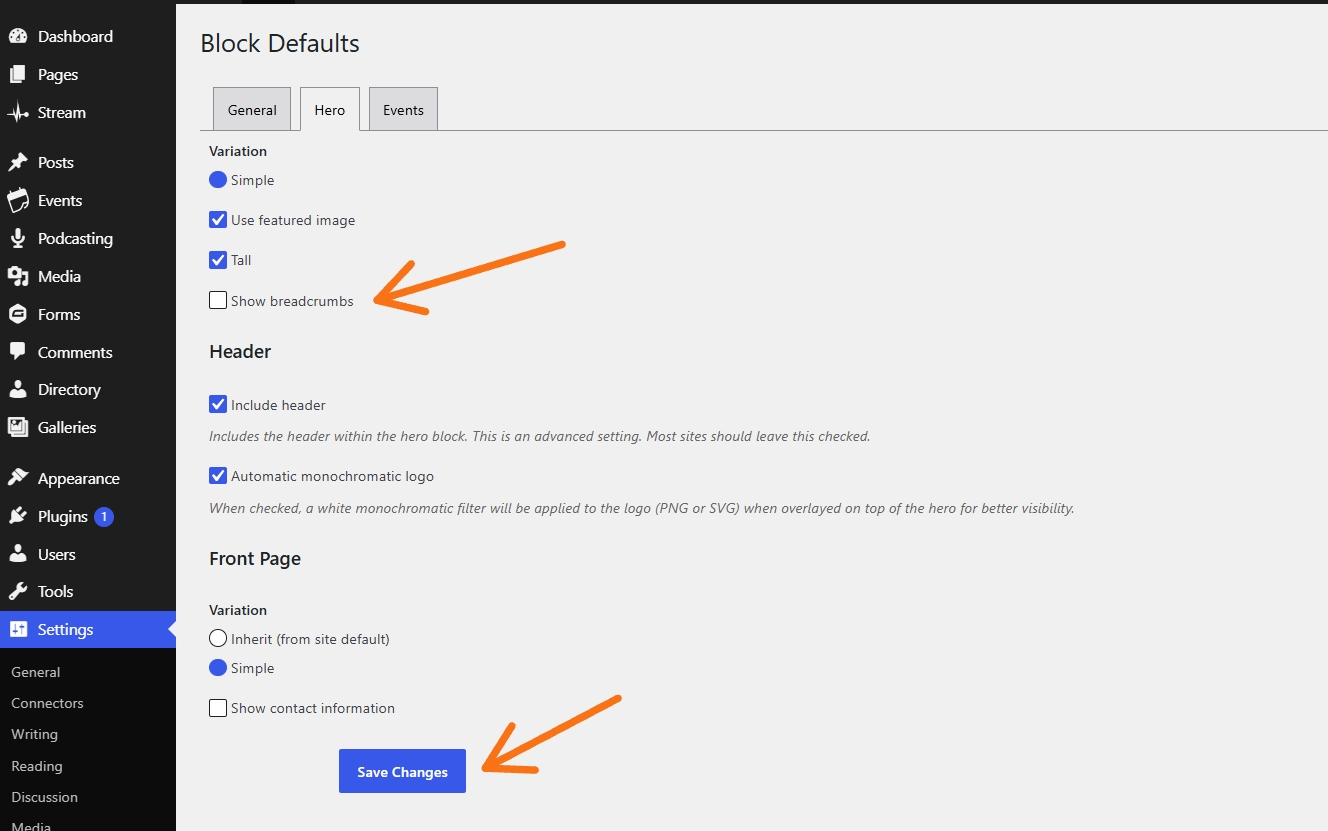
Step 3: Verify Changes on Your Website
Return to your website and navigate to the About Us page. You should see that the breadcrumbs have disappeared.