

What Are Feed Blocks?
There are a variety of feed blocks available in Frame that allow you to filter and display content in a feed on your site. Each feed block is customizable and set to showcase a certain type of content: catalog items, events, posts, news, venues, and others.
Each feed type includes a Post Template, Pagination, and No Results blocks.
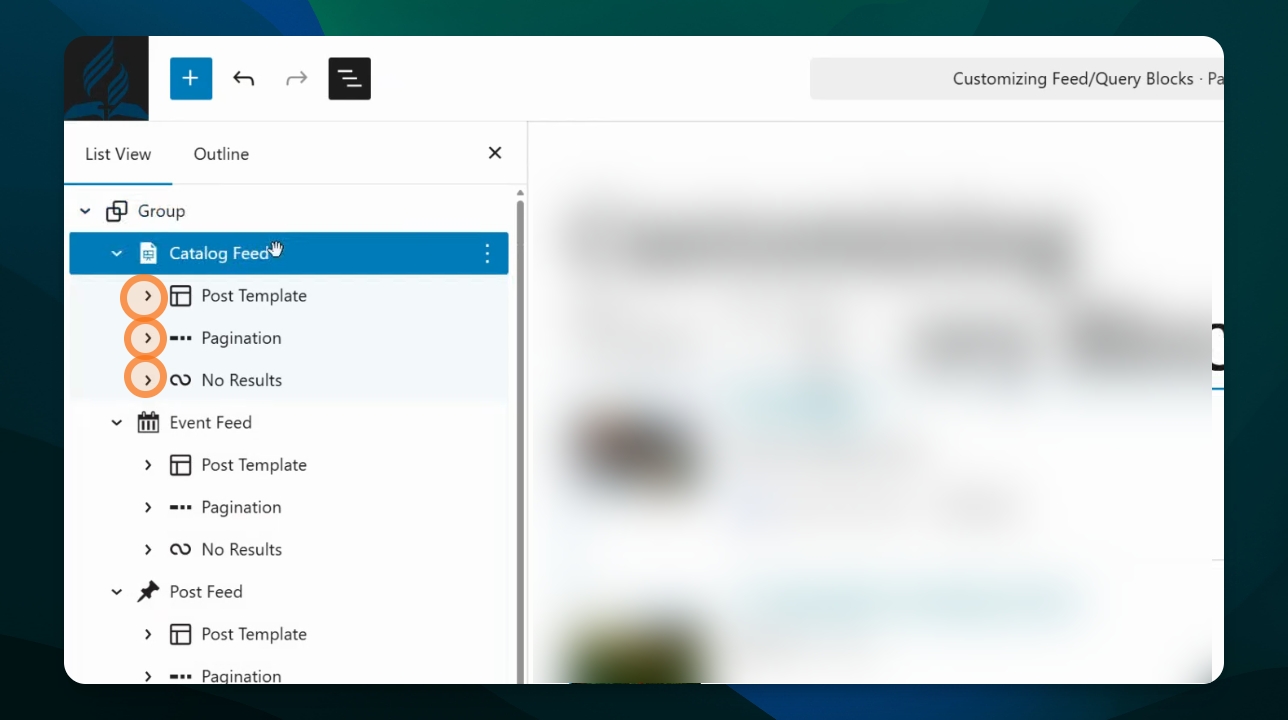
What Feed Blocks are Available?
Choose feed blocks to display:
Catalog items
Directory items
Events
News
Pages
Page children
Organizers
Venues
How Do I Choose Which Feed Block to Use?
While each feed block includes the same high level structure, the biggest difference among them are their Post Template layouts and Filter options.
Post Template Layouts
Each feed type will come with a different automated Post Template when added to a page. Each feed has a content-specific layout designed to display that type of content. Some will have photos, others won't. Some will show an excerpt of the content, others won't.
However, the post template for all feeds is highly customizable. You can add, remove, reorder, and customize the elements in the Post Template of any feed.
Learn more about customization options for feeds here.
Filter Options
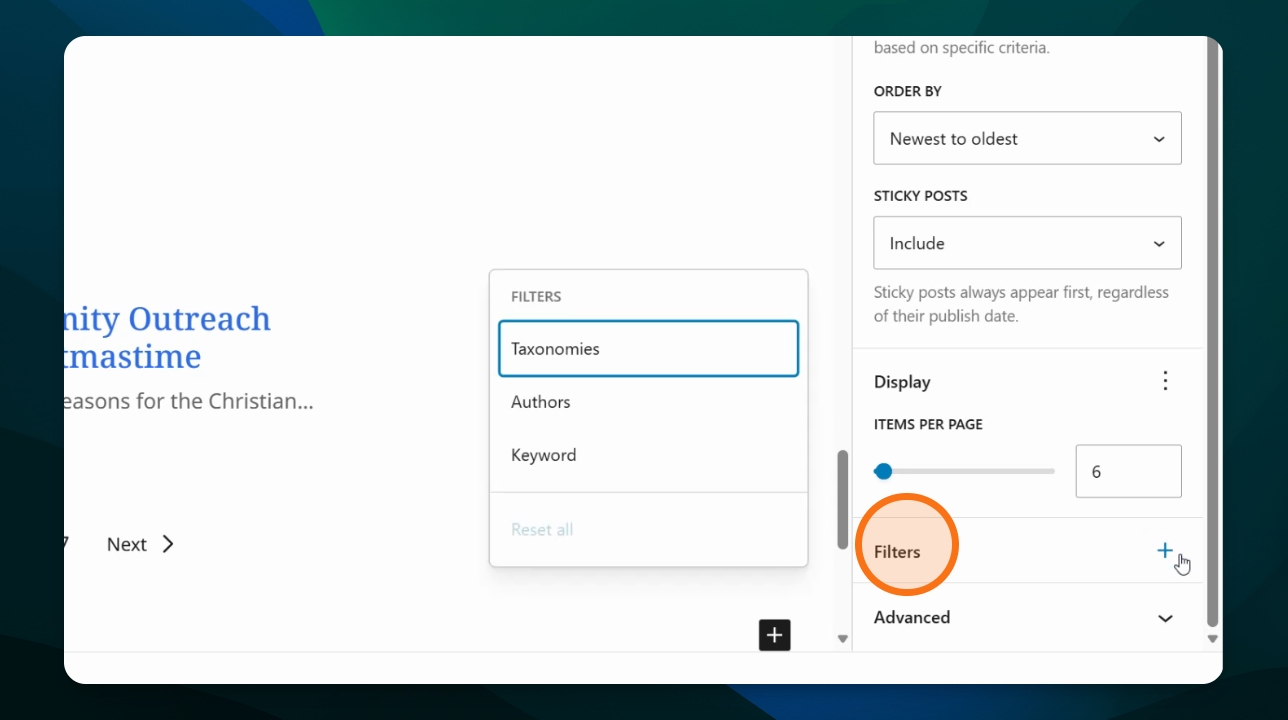
Different filtering options will be available for each feed block. This is because different content types have different data associated with them.
For example, events can have venues and therefore an event feed could be filtered by venue, but a news feed can't. News feeds might instead be filtered by author.
What Is a Query Loop?
The Query Loop block is a more general block that allows you to select a post template layout and the content type to display. It can display many of the content types that have their own feed block listed above and will offer the same setting options. For examples, the query block will allow the same settings and style adjustments as the Post Feed Block if set to display posts, and the same options as the News Feed block if set to display news.
The Query Loop block differs from the other feed blocks in that it requires more initial input in order to select a post layout. In short, it does not include out-of-the-box styling optimized for a certain content type.
Best Practices
It is best practice to select the feed type that aligns with the content you wish to display. This will give you a pre-formatted Post Template optimized for that type of content which you can then customize as needed.
Advanced users familiar with website building may wish to use the Query Loop to build a feed from a clean slate.