

A convenient way to share details about upcoming events is through the Calendar Embed Block. Discover how to implement the calendar embed block and explore its various customization options.
Adding a Calendar Embed:
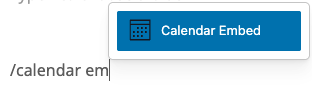
1. Simply click the Block Inserter (+) button, or start typing /calendar in an empty paragraph and hit enter to quickly insert a Calendar Embed Block into your post or page.
Block Toolbar
Block Moving Tools
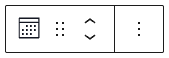
Click and hold the drag handle (dots) to move the Quote block to a new location. A blue line will show where the block will be placed when you release your mouse.
Click the up or down arrows to move the Quote block one position at a time.
Block Settings
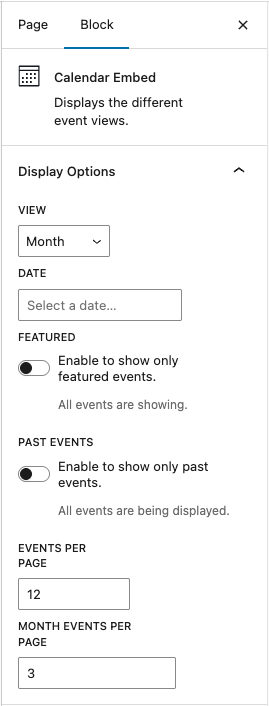
Display View
Choose between month, week, day, list, summary, photo, and map views.
List and summary views differ in that summary groups events by date and does not display their featured images.
Photo view creates a grid of events with a large featured image.
Date
Select a single date to display constantly in this block. Note setting a date will allow users to navigate to other dates, but won't automatically update to show upcoming dates.
Featured and Past Events
Toggle to show only featured events or only past events.
Events Per Page
Adjust the number of events that show on a single view before requiring a user to click to view more events.
Month events per page adjusts the number of events that show per day in the month view.
Category Settings
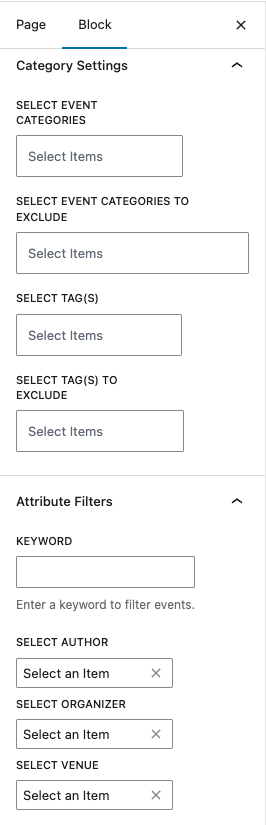
Select which event categories to display or hide. You can also change visibility of events by tag, ie. events tagged as private regardless of their category.
If no categories or tags are selected, all events will display by default.
Attribute Filters
Events can be filtered by keyword, author (user that created the event), organizer, or venue. Only events with the selected attribute will display.
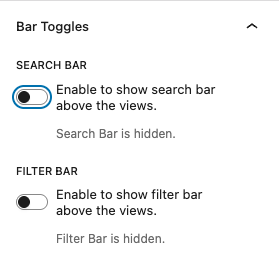
Bar Toggles
Show or hide the search and filter bars using the toggle buttons.
You must have at least the Site Editor role to make these edits. If you don’t have the required permissions, please contact an administrator for assistance.