

TL;DR
1
Go to Settings
Access Settings from your dashboard.
2
Select Reading
Check the Reading settings for homepage options.
3
Choose Static Page
Set homepage to a static page if needed.
4
Save Changes
Save the changes and refresh the page.
Let's Do It Together!
Step 1: Access Settings
Go to your Dashboard.
Navigate to Settings.
Step 2: Check Reading Settings
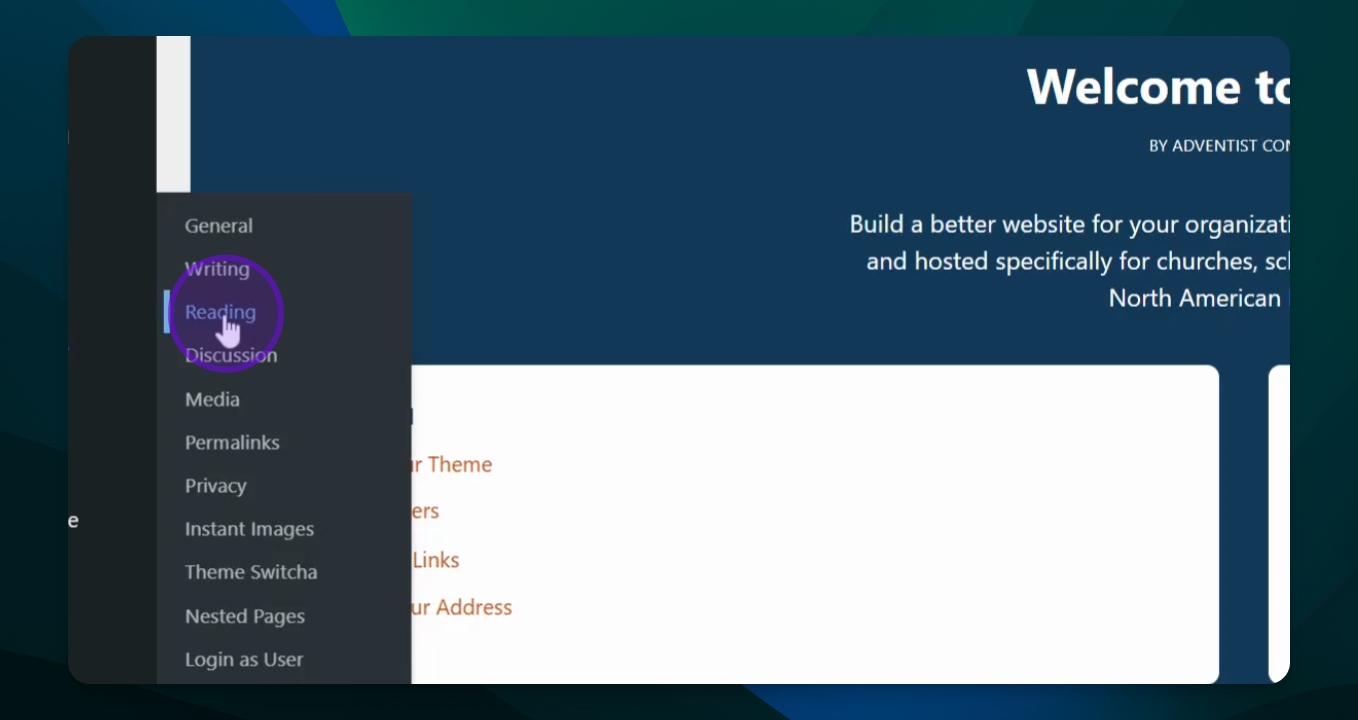
Select Reading from the settings options.
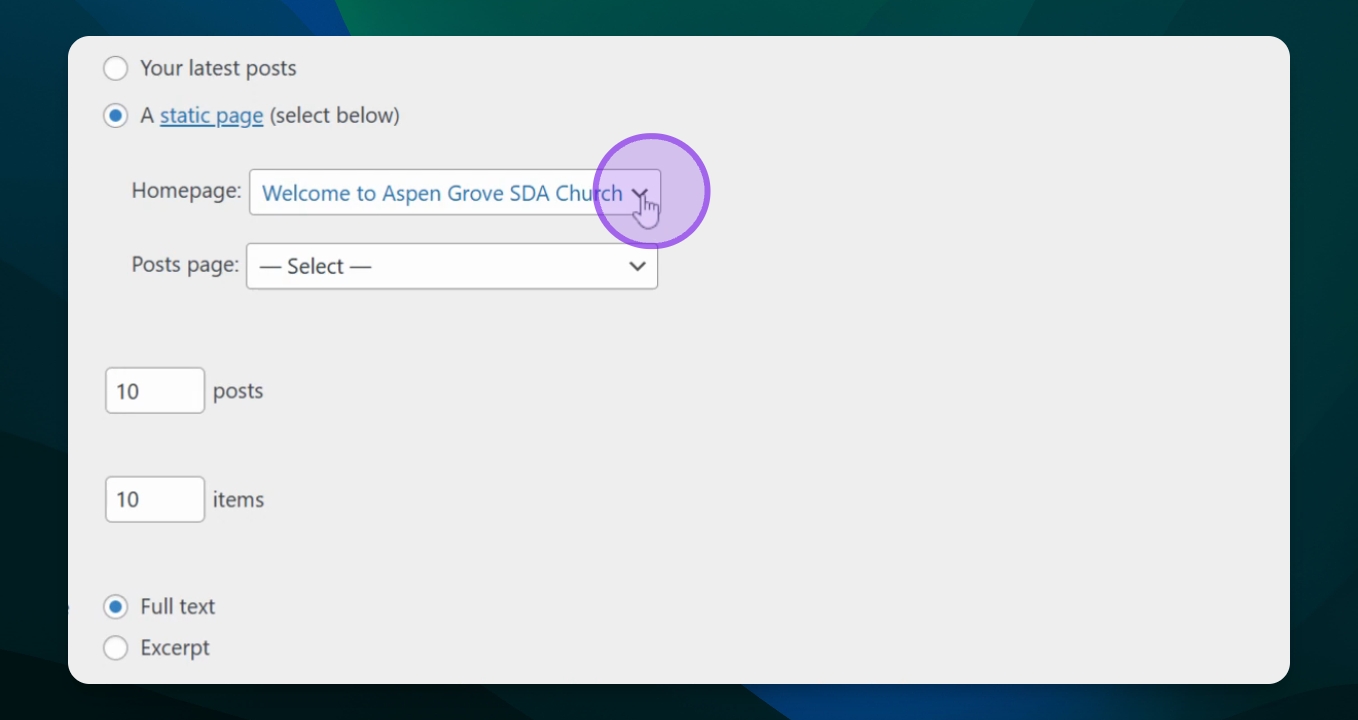
Ensure the homepage is set to a Static Page.
Step 3: Select Homepage
Choose your homepage from the dropdown list. Here the homepage name is Welcome to Aspen Grove SDA Church.
Step 4: Save Changes
Leave other settings like Posts Page and Syndication Feed unchanged.
Click Save Changes.
Refresh your screen to see the updated homepage.
FAQ
What if my homepage still doesn't show?
Ensure you saved changes and refresh the page. Clear the site cache if needed.