

TL;DR
1
Access Domain page
Open your dashboard and select your domain.
2
Change email service
Hover and click on Change Email to see options.
3
Select service
Choose Google, GoDaddy, or Custom and enter required details.
4
Save settings
Follow instructions and save your changes.
5
Verify functionality
Refresh and send a test email to ensure it works.
These instructions only apply if your domain is fully hosted by Frame. If you only pointed an A record to our IP address, you will need to make the changes on your domain registrar or name servers.
Let's Do It Together!
Step 1: Access Your Dashboard
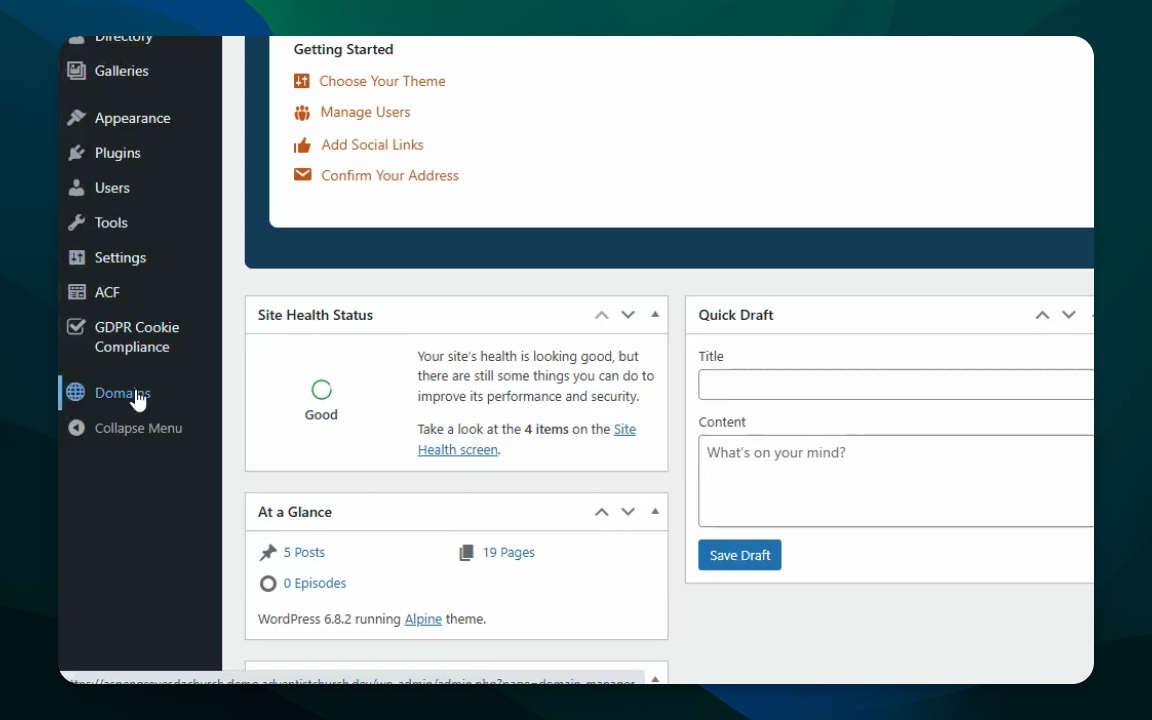
Open your dashboard.
Navigate to Domains and select the domain you want to update.
Step 2: Change Email Service
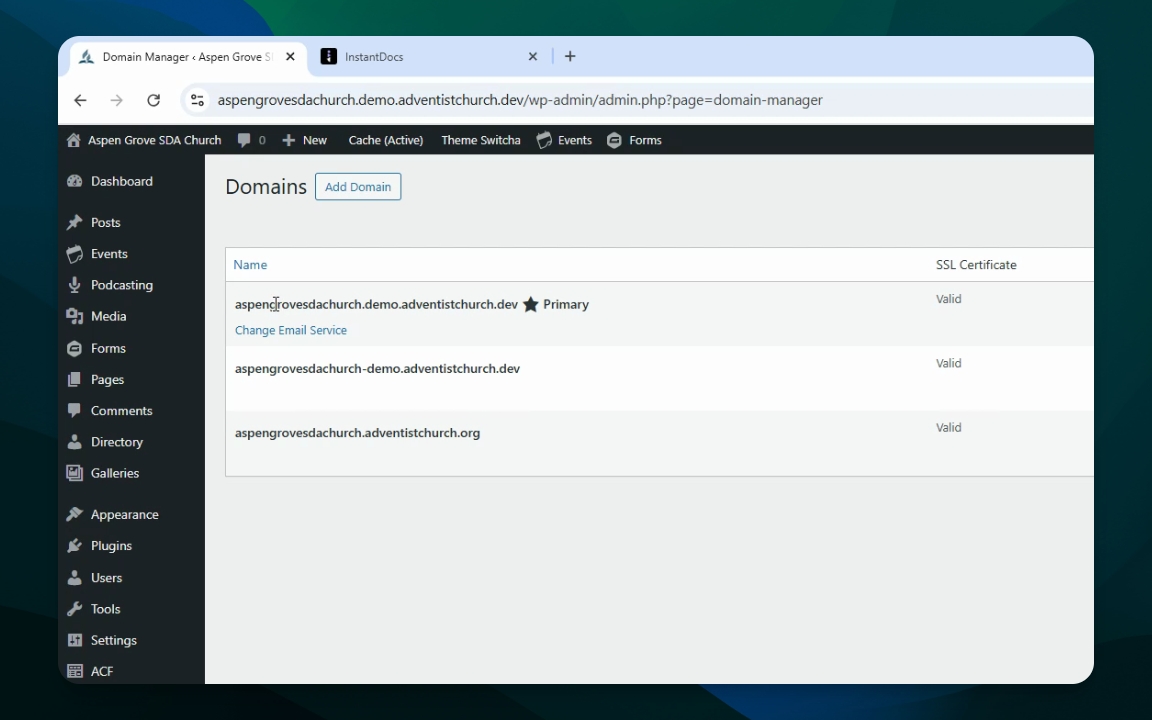
Hover over the domain to reveal the Change Email Service option.
Click Change Email to see available options.
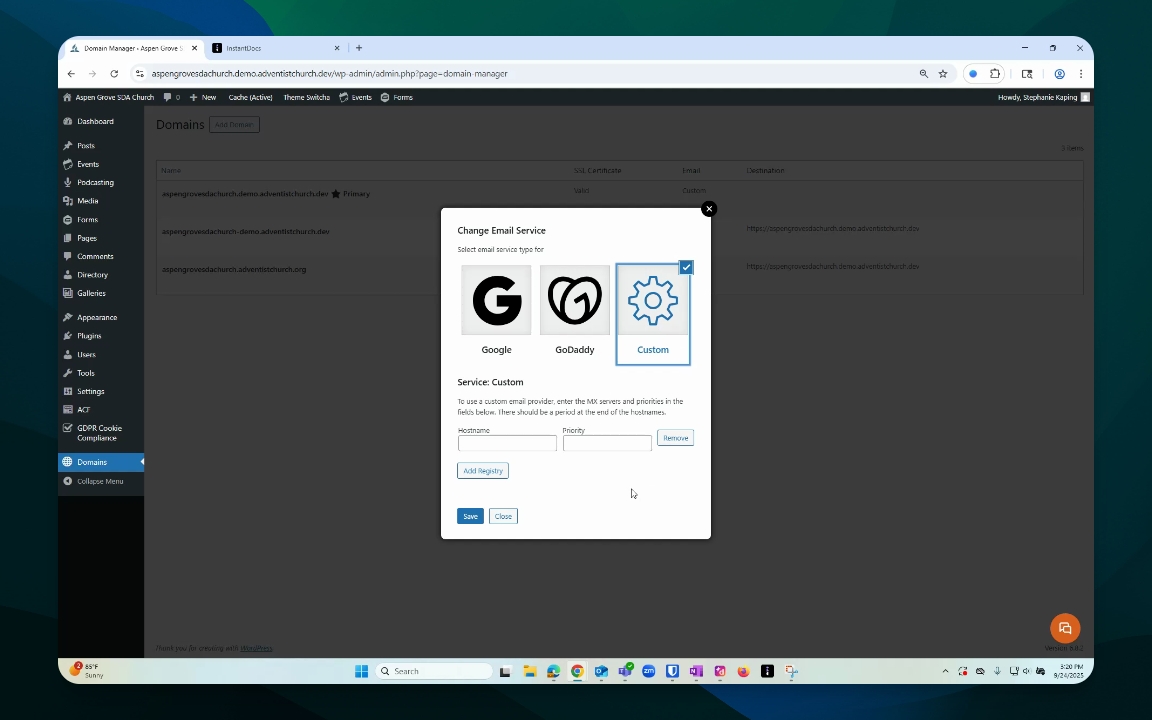
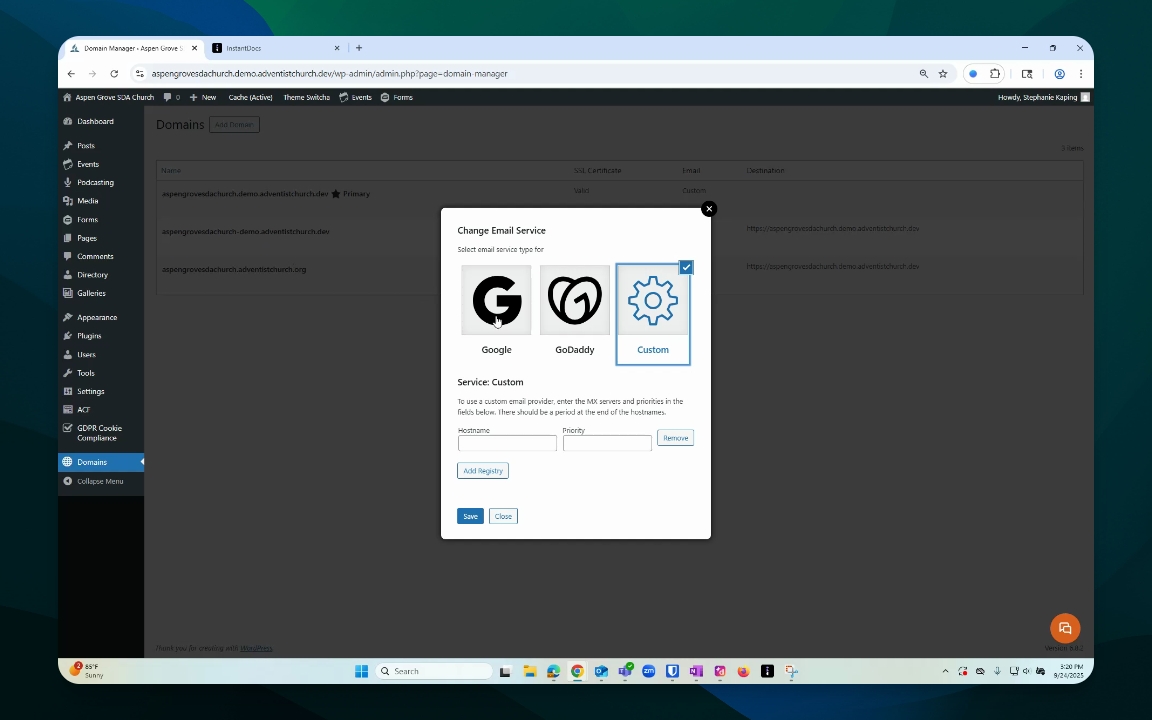
Step 3: Choose Your Email Service
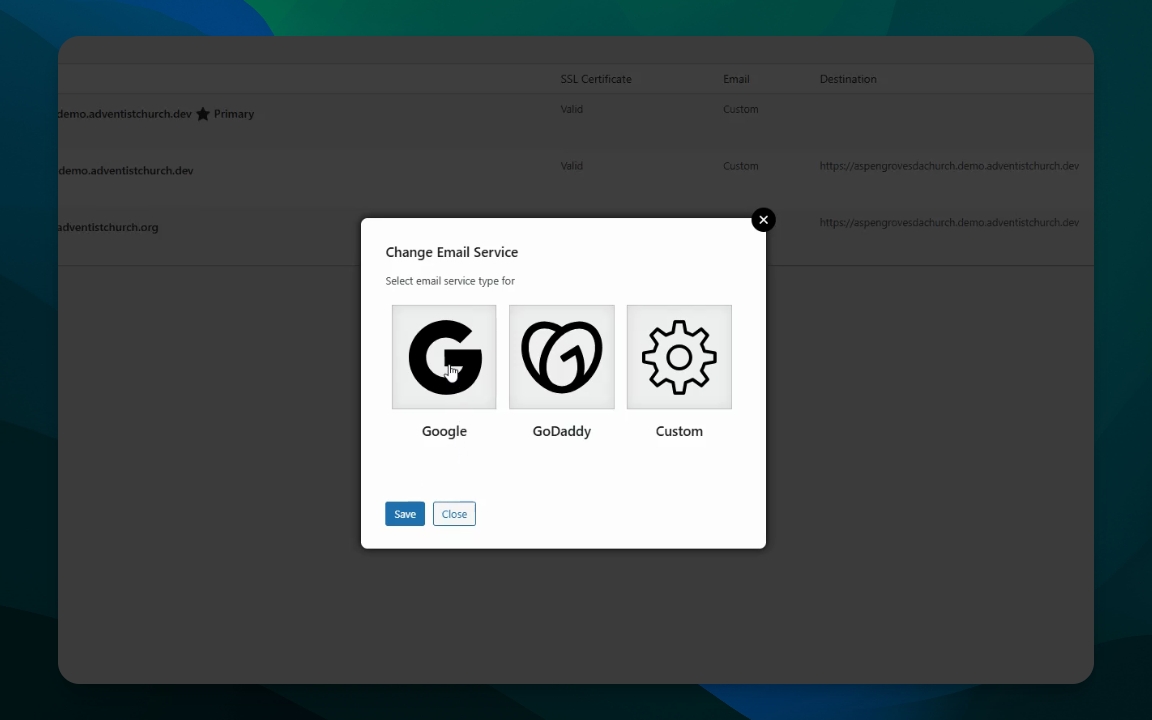
Select Google, GoDaddy, or Custom option.
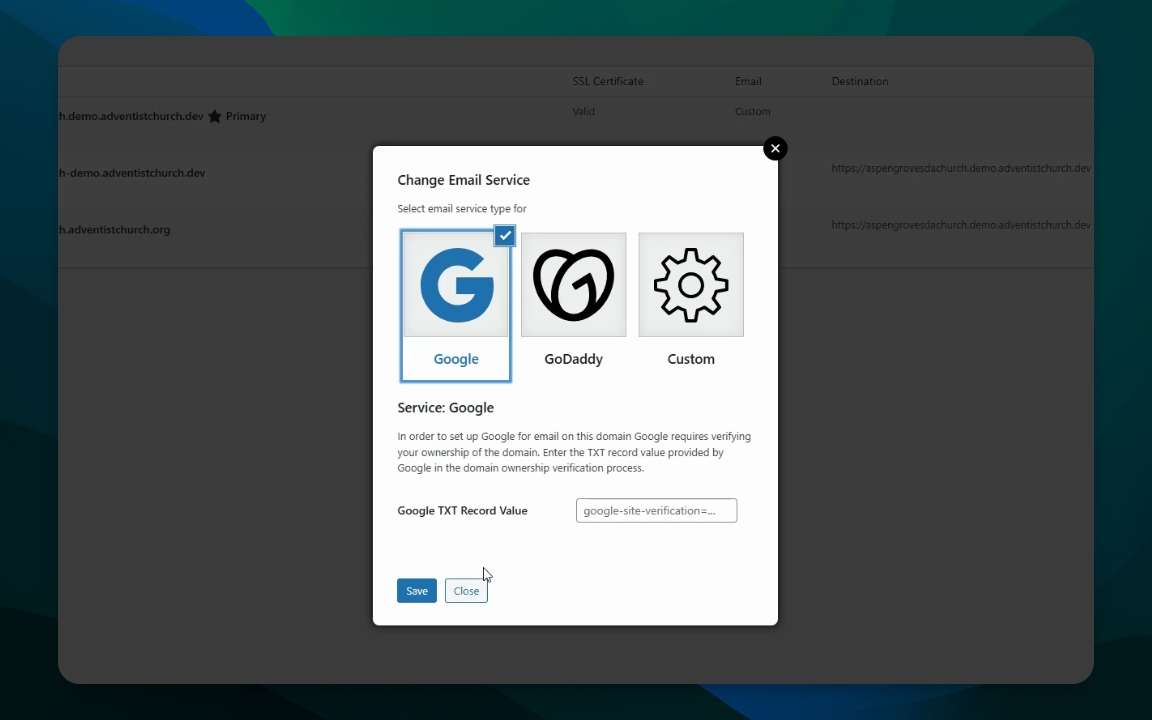
If choosing Google, enter the Google
google-site-verification=text record value from your Google Workspace account.
Step 4: Save Your Settings
For GoDaddy, follow the instructions provided.
Save your settings and exit.
Step 5: Add Custom MX Records
Gather custom MX records from your host and note the priority, usually zero.
Remove old records as necessary, then save your changes.
Step 6: Verify Changes
After saving, exit the settings.
Refresh your site and send a test email to confirm functionality.
Troubleshooting
Email not working after update
Check MX records and ensure they are correctly configured.
FAQ
How do I find my Google text record?
Check your Gmail Workspace domain settings for the `google-site-verification=` text record value.
What if I choose Custom?
Use the custom MX records provided by your hosting service.