

The Notification screen is especially useful for sharing time-sensitive information such as upcoming events, service changes, or important ministry updates. Your notification will appear prominently on your site during the specified timeframe, ensuring your community stays informed about essential information.
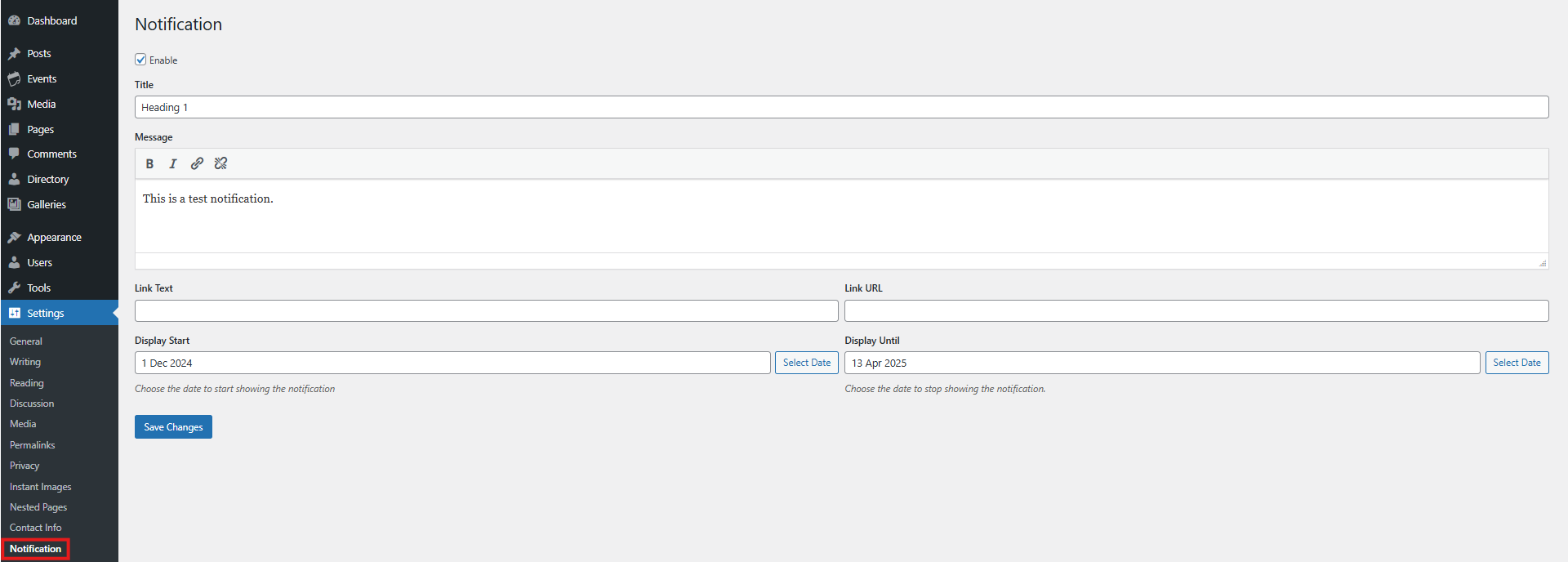
Enable Notifications
Check the Enable option to activate your notification system. When disabled, your notification won't display even if all other settings are configured.
Message Content
Enter your notification message in the text field. Use the formatting tools to:
Bold important text
Italicize for emphasis
Create links to additional information
Remove links as needed
Link Options
Link Text: Enter the text that will serve as the clickable link
Link URL: Enter the web address where visitors will be directed when clicking the link
Display Period
Start Date: Select when your notification should begin appearing
Display Until: Choose the last day your notification will be shown
When you've configured your notification, click the blue Save Changes button to make it active on your site.